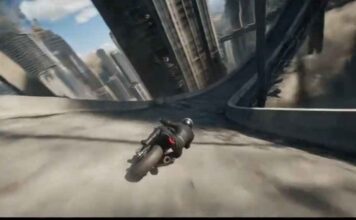
If you have seen the trending “Viral The Worlds End AI Video Prompt 2026 (Copy Paste) GGVP32” videos on Instagram Reels or YouTube Shorts and want to create a similar video for your own channel, then you are in exactly the right place!
These days, it is the era of Text-to-Video AI. There are many powerful AI video generators available in the market right now—like Seedance 2.0, Kling 3.0, Runway ML, Google Veo 3, LTX 2.5, and Vidu AI—that can create cinematic videos just from the text you type. By using these tools, you can create amazing content for your faceless channel or meme page.
However, to make this specific viral video, we will use the best free AI tool: Seedance. Copy the prompt given below and generate your own viral video!
How to Generate the Video (Step-by-Step)
1. Go to the Website: First, visit
OpenArt.ai (Free AI Video Generator)
and sign in for free using your Google account. OpenArt mein Seedance 2.0, Kling 3.0, aur
Google Veo 3 — Its free.
Select Text-to-Video: On the dashboard, click on the ‘Create’ or ‘Text to Video’ option.
Paste the Prompt: Copy the prompt provided below and paste it into the prompt box. (Note: You can change the colors or characters in the prompt if you want).
Choose Aspect Ratio: If you are making the video for Instagram Reels or YouTube Shorts, select the 9:16 (Portrait) ratio. If it is for standard YouTube videos, keep it at 16:9 (Landscape).
Generate: Click the ‘Generate’ button and wait 1-2 minutes. Your high-quality AI video is now ready to download!
The Copy-Paste Prompt
⭐ GADGET GYANI RECOMMENDED TOOL
🎬 OpenArt.ai — Free AI Video & Image Generator
To create this video, we’ll be using OpenArt.ai — an all-in-one AI creator studio where top models like Seedance 2.0, Kling 3.0, and Google Veo 3 are all available in one place, completely FREE! Text-to-Video, Image Generation, Lip-Sync, Motion Sync — everything you need is right here.
🚀 Try OpenArt.ai for Free →✅ No Credit Card Required | ✅ Instant Sign-up with Google Account
(Copy the exact text below)
A 31-year-old woman with close-cropped silver hair, high cheekbones, deep brown skin, wearing a navy pressure-woven trench coat threaded with luminous tidal-flow patterns that ripple across the fabric like moving water — hook at second two: she drops both hands onto the pavement of a coastal boulevard and the tidal lines ignite, glowing aquamarine beneath the asphalt as underground water mains rupture in sequence.
The street begins to buckle as pressurized water channels surge upward through the infrastructure grid.
The fight is hydraulic and architectural: hydrants explode into geysers mid-combat, storm drains invert into upward water cannons, and entire intersections liquefy as subterranean flood tunnels erupt to the surface.
Her movements redirect the water systems — each step sending pressure waves through the ground that burst upward as towering water pillars.
The gauntlet moves through a waterfront district progressively consumed by ocean force: street level flooded knee-deep → ferry terminal ripped open by tidal surges → elevated expressway collapsing into a rising inland sea.
Ships break their moorings and slide into city blocks.
Glass towers fracture as high-pressure jets shear through their lower levels.
Chase-cam along a collapsing seawall as an incoming megawave overtops the harbor barrier.
Velocity ramp at the moment the harbor gates fail and the ocean pours into the city basin.
Cut to aerial: the coastline has been redrawn inland by half a kilometer.
She stands atop a flooded skyline, tidal currents spiraling around the remaining buildings.
Diegetic ocean-blue emissive lighting from the coat patterns interacting with churning floodwater, volumetric mist and spray particles, cinematic storm lighting, ultra-detailed water simulation, 4K.
Gadget Gyani Pro Tip (For This Video)
To make this video look even more realistic, add extra details to the prompt like a “chefs in kitchen” “real skin texture” “wind” and “shoes with mud on the upper.”
For the background music, make sure to use trending Phonk or Lo-Fi audio on Instagram. This will help push your video into alogritham