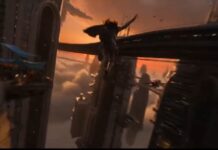
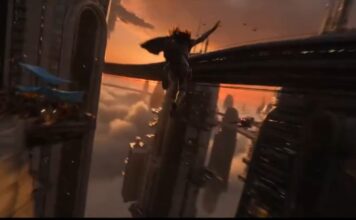
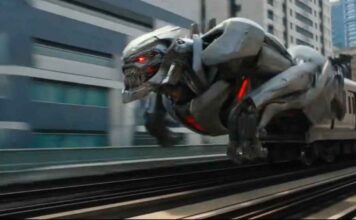
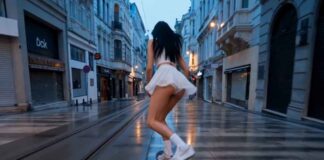
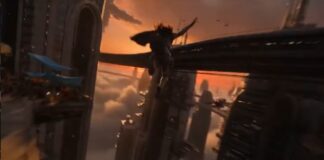
If you have seen the trending “Racing Through Collapsing World” videos on Instagram Reels or YouTube Shorts and want to create a similar video for your own channel, then you are in exactly the right place!
These days, it is the era of Text-to-Video AI. There are many powerful AI video generators available in the market right now like Seedance 2.0, Kling 3.0, Runway ML, Google Veo 3, LTX 2.5, and Vidu AI—that can create cinematic videos just from the text you type. By using these tools, you can create amazing content for your faceless channel or meme page.
However, to make this specific viral video, we will use the best free AI tool: Seedance 2.0. Copy the prompt given below and generate your own viral video!
How to Generate the Video (Step-by-Step)
1. Go to the Website: First, visit OpenArt.ai (Free AI Video Generator)
and sign in for free using your Google account. OpenArt mein Seedance 2.0, Kling 3.0, or Google Veo 3 — Its free.
Select Text-to-Video: On the dashboard, click on the ‘Create’ or ‘Text to Video’ option.
Paste the Prompt: Copy the prompt provided below and paste it into the prompt box. (Note: You can change the colors or characters in the prompt if you want).
Choose Aspect Ratio: If you are making the video for Instagram Reels or YouTube Shorts, select the 9:16 (Portrait) ratio. If it is for standard YouTube videos, keep it at 16:9 (Landscape).
Generate: Click the ‘Generate’ button and wait 1-2 minutes. Your high-quality AI video is now ready to download!
The Copy-Paste Prompt
⭐ GADGET GYANI RECOMMENDED TOOL
🎬 OpenArt.ai — Free AI Video & Image Generator
To create this video, we’ll be using OpenArt.ai — an all-in-one AI creator studio where top models like Seedance 2.0, Kling 3.0, and Google Veo 3 are all available in one place, completely FREE! Text-to-Video, Image Generation, Lip-Sync, Motion Sync — everything you need is right here.
✅ No Credit Card Required | ✅ Instant Sign-up with Google Account
(Copy the exact text below)
Prompt : Hyper realistic cinematic 15 second action sequence. A lone motorbike rider blasts across shattered skybridges suspended between the ruined husks of colossal skyscrapers at extreme altitude, with massive dust clouds boiling far below. Bright daylight floods the scene with brilliant cinematic light, hard highlights, sharp shadows, glowing dust, and breathtaking clarity. The environment is spectacular and ultra detailed: twisted steel frames, torn suspension cables whipping violently in the wind, cracked concrete, broken tiles, shattered antennas, exposed rebar, drifting debris, and collapsing bridge fragments falling into the abyss.
The action must feel unbelievable, epic, and nonstop from the first frame to the last. The rider tears through impossibly narrow switchback curves at extreme speed, leaning aggressively as the bike skims the edges of fractured skybridge segments. The world is unstable and breaking apart in real time, creating constant danger and visual tension.
The camera must feel like it can go everywhere and do everything while remaining one seamless continuous flow. It should constantly evolve with no static framing and no predictable coverage. Start with a vast aerial wide shot circling high above the ruined towers to establish the dizzying scale, then plunge down at high speed toward the rider. Swing into a close tracking chase just inches from the bike, then whip to the side in a fast lateral move as the rider leans through a switchback. Rise suddenly into a high overhead angle to reveal the broken path ahead, then dive under fractured bridge beams for a dramatic worm’s eye perspective looking up at the bike and the towers. Spiral around the rider in mid motion, arc outward into a huge wide shot showing the full vertical drop, then snap back into a tight front facing shot racing backward in front of the bike. The camera should orbit, circle, dive, climb, roll, bank, sweep, skim the surface, pass through steel wreckage, and move through the environment with impossible energy, always changing perspective while staying smooth and continuous.
Gadget Gyani Pro Tip (For This Video)
To make this video look even more realistic, add extra details to the prompt like a “white background” “real skin texture” “wind” and “shoes with mud on the upper.”
For the background music, make sure to use trending Phonk or Lo-Fi audio on Instagram. This will help push your video into algorithm