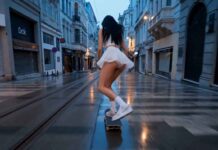
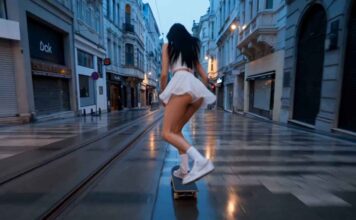
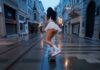
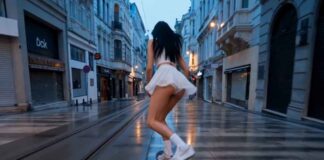
If you have seen the trending “K Pop Dance 2” videos on Instagram Reels or YouTube Shorts and want to create a similar video for your own channel, then you are in exactly the right place!
These days, it is the era of Text-to-Video AI. There are many powerful AI video generators available in the market right now like Seedance 2.0, Kling 3.0, Runway ML, Google Veo 3, LTX 2.5, and Vidu AI—that can create cinematic videos just from the text you type. By using these tools, you can create amazing content for your faceless channel or meme page.
However, to make this specific viral video, we will use the best free AI tool: Seedance 2.0. Copy the prompt given below and generate your own viral video!
How to Generate the Video (Step-by-Step)
1. Go to the Website: First, visit OpenArt.ai (Free AI Video Generator)
and sign in for free using your Google account. OpenArt mein Seedance 2.0, Kling 3.0, or Google Veo 3 — Its free.
Select Text-to-Video: On the dashboard, click on the ‘Create’ or ‘Text to Video’ option.
Paste the Prompt: Copy the prompt provided below and paste it into the prompt box. (Note: You can change the colors or characters in the prompt if you want).
Choose Aspect Ratio: If you are making the video for Instagram Reels or YouTube Shorts, select the 9:16 (Portrait) ratio. If it is for standard YouTube videos, keep it at 16:9 (Landscape).
Generate: Click the ‘Generate’ button and wait 1-2 minutes. Your high-quality AI video is now ready to download!
The Copy-Paste Prompt
⭐ GADGET GYANI RECOMMENDED TOOL
🎬 OpenArt.ai — Free AI Video & Image Generator
To create this video, we’ll be using OpenArt.ai — an all-in-one AI creator studio where top models like Seedance 2.0, Kling 3.0, and Google Veo 3 are all available in one place, completely FREE! Text-to-Video, Image Generation, Lip-Sync, Motion Sync — everything you need is right here.
🚀 Try OpenArt.ai for Free →✅ No Credit Card Required | ✅ Instant Sign-up with Google Account
(Copy the exact text below)
Prompt; Style: Hyper-realistic fashion ad, fast cuts, handheld + flash edits, high contrast
Music: Aggressive rock beat (fast tempo, heavy drums, electric guitar)
Camera: Rapid angle switching, whip pans, snap zooms, flash frames
0–2s — HOOK (INTIMATE + UNEXPECTED) Extreme close-up of her lips near camera Soft ASMR whisper in Japanese: 「ねえ…見て。」(“Hey… look.”) Breath slightly audible Cut instantly with a loud rock guitar drop
2–5s — IMPACT CUTS (ENERGY BURST) Rapid-fire cuts synced to drums: Full-body shot: she stands casually in jeans, hands in pockets Smash cut → low-angle shot emphasizing silhouette Flash frame (white strobe) Quick crouch pose (camera drops with her) Snap zoom to waist/jeans texture Hair moves naturally, confident smirk
5–8s — CHAOTIC STYLE (PLAYFUL / “STUPID” ENERGY) Erratic camera switches: She suddenly leans too close to lens (distorted wide lens) Quick spin → frame skips slightly (intentional glitch effect) She shrugs playfully, almost mocking the camera Japanese line (playful tone): 「バカみたいでしょ?」 (“It’s kinda stupid, right?”) Cut on beat
8–11s — SENSUAL CONFIDENCE (CONTROLLED MOMENT) Slower but still rhythmic shots: Close-up: fingers sliding into jean pocket Side profile, soft smile Hair brushing across face Japanese whisper: 「でも、好きでしょ。」 (“But you like it, don’t you?”) Lighting softens briefly 11–13s — ENERGY RETURN (FINAL BURST) Fast cuts again: Jump cut → she lands in seated pose Snap zoom → eye contact with camera Quick walk toward camera (confident stride) Flash cuts between poses (standing / crouching / sitting) Rock music peaks
13–15s — END FRAME (BRAND ATTITUDE) Clean but stylish frame She looks directly at camera, slight smile Japanese final line: 「どこでも、これ。」 (“Anywhere. This.”) Text appears: “PLAY ANYWHERE” / Brand Name Music hits final note Optimization Tags “fast cuts, flash frames, fashion commercial, handheld camera, high energy rock music” “hyper realistic skin texture, denim texture detail” “cinematic lighting, shallow depth of field” “glitch effects, snap zoom, whip pan”
Gadget Gyani Pro Tip (For This Video)
To make this video look even more realistic, add extra details to the prompt like a “white background” “real skin texture” “wind” and “shoes with mud on the upper.”
For the background music, make sure to use trending Phonk or Lo-Fi audio on Instagram. This will help push your video into algorithm