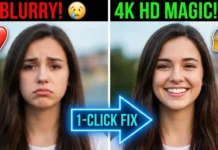
Have an old blurry photo from 2010? Or a low-quality WhatsApp image that looks pixelated when you zoom in? You’re not alone. Most people have memories trapped inside low-resolution images and deleting them feels wrong.
Aaj hum seekhenge ki Blur photo ko HD kaise banaye using modern AI Upscaler tools. These tools can turn small, blurry photos into clearer, sharper images sometimes even good enough for wallpapers or printing.

The best part? Many of them are free or have free plans, and you don’t need photo-editing skills.
What is an AI Upscaler?
An ai upscaler is a tool that increases image resolution using Artificial Intelligence.
Instead of simply stretching pixels (which makes images blurry), AI analyzes the photo and creates new pixels intelligently. It predicts details like edges, textures, skin tones, and patterns — making images look sharper and cleaner.
In short:
- Normal resize = bigger but blurrier
- AI Upscale = bigger and clearer
This is why terms like image upscaler online free, blur photo to hd online, and best ai photo enhancer are trending right now.
Why People Use AI Upscalers
- Old family photos look blurry
- WhatsApp compressed images lose quality
- Low-quality downloads need 4K output
- Thumbnails and social media images need sharpening
- Anime or illustrations need clean scaling
If you ever searched for a photo saaf karne wala app, an AI upscaler is exactly what you need.
Top 5 AI Upscaler Tools (2026 Review)
Below are the tools I personally recommend as a photo editing expert. Each serves a slightly different type of user.
1) Upscayl Best Free AI Upscaler for PC
Why it stands out:
Upscayl is completely free and open-source, available for Windows, Mac, and Linux. It runs locally on your computer, meaning your photos stay private.


According to its official description, it’s a free open-source AI image upscaler designed for desktop users.
Best For:
- PC users
- Bulk image upscaling
- Privacy-focused creators
Pros
- 100% free
- No watermark
- Works offline
- Multiple AI models
Cons
- Needs a decent PC
2) Waifu2x The Classic for Anime & Cartoons
Waifu2x is one of the earliest AI upscalers and still a favorite among anime artists.
It was originally designed for anime-style images and uses deep learning to reduce noise and increase resolution.


Best For:
- Anime images
- Cartoons
- Manga scans
Pros
- Very lightweight
- Works online
- Great line-art preservation
Cons
- Interface looks outdated
- Not ideal for realistic photos
If your images contain strong outlines or illustrations, Waifu2x often produces cleaner results than general photo enhancers.
3) Remini The Popular Photo Saaf Karne Wala App
Let’s be honest almost everyone has heard of Remini. It’s famous for making old faces look sharp with one tap.
The app focuses heavily on portraits and facial enhancement. Its App Store listing highlights restoration and AI enhancement features for blurry photos.


Best For:
- Old family photos
- Portraits
- Face enhancement
Pros
- Extremely easy to use
- Mobile-friendly
- Powerful AI sharpening
Cons
- Ads can be annoying
- Free version has limitations
Many users searching “blur photo to hd online” eventually discover Remini because of its simplicity.
4) BigJPG Best for Illustrations
BigJPG uses neural networks specifically tuned to preserve colors and lines while enlarging images. It claims to reduce noise and serration when increasing resolution.


Best For:
- Digital art
- Posters
- Illustrations
Pros
- Smooth output
- Good color retention
- Web + app options
Cons
- Processing can be slow on free version
- Large images may need paid plan
It also automatically deletes uploaded images after a few days, which helps with privacy concerns.
Also Read:- 5 Best AI Video Generators 2026: Text-to-Video for YouTube (No Face Needed)
6) Topaz Labs Professional Level AI Upscaling
Topaz Labs’ Gigapixel AI is widely used by professional photographers and designers. It uses advanced AI models to recover fine details and textures when enlarging images.
Best For:
- Professional photography
- Print-ready images
- Advanced editing workflows
Pros
- Extremely high-quality results
- Great detail recovery
- Multiple enhancement modes
Cons
- Paid software
- Requires strong hardware
7) Adobe (Photoshop Super Resolution) Best for Editors
If you already use Adobe Photoshop, the built-in AI feature called Super Resolution can upscale images without extra plugins.
Best For:
- Graphic designers
- Existing Photoshop users
- RAW photo enhancement
Pros
- Integrated workflow
- Reliable color accuracy
- Excellent for DSLR photos
Cons
- Subscription required
- Not beginner friendly
8) Let’s Enhance Best AI Photo Enhancer Online
Let’s Enhance focuses on improving lighting, colors, and sharpness along with resolution increase.
Best For:
- E-commerce images
- Social media creators
- Website visuals
Pros
- Browser-based
- Easy UI
- Good automatic corrections
Cons
- Limited free credits
9) Clipdrop One-Click Online AI Upscaler
Clipdrop offers a very beginner-friendly AI upscaler with quick results. Just upload and enhance.
Best For:
- Fast editing
- Beginners
- Content creators
Pros
- Very simple interface
- Fast processing
- Works directly in browser
Cons
- Free version has limits
10) Fotor AI Upscaler + Photo Editor Combo
Fotor combines AI upscaling with filters, editing tools, and design templates. Good all-in-one option.
Best For:
- Social media posts
- Casual users
- Quick edits
Pros
- Easy to use
- Multiple AI tools in one place
- No technical skills needed
Cons
- Free exports may include limits
11) Pixelcut Best for Product Photos & Creators
Pixelcut’s AI upscaler is popular among online sellers who want sharper product images for marketplaces.
Best For:
- E-commerce sellers
- Instagram shops
- Product photography
Pros
- Clean detail enhancement
- Mobile friendly
- Fast results
Cons
- Some features locked behind paid plan
Pro Tip (Extra Value for Readers)
If your article audience is searching for photo saaf karne wala app, mention that:
- Mobile users → Remini or Pixelcut
- PC users → Upscayl or Topaz Labs
- Browser users → Let’s Enhance or Clipdrop
This helps readers choose faster and improves user engagement (great for SEO).
5) Zyro / Icons8 Best Image Upscaler Online Free (No Install)
If you don’t want to install anything, this is your best option.
Icons8’s AI Upscaler works entirely in the browser and supports batch upscaling with high resolution outputs up to 7680×7680 px.
Best For:
- Quick editing
- Beginners
- Laptop users without powerful hardware
Pros
- Runs in browser
- Batch uploads
- Easy UI
Cons
- Upload limits in free tier
- Internet required
How to Use AI Upscaler Online (Photo HD Kaise Karein)
Here’s the simple workflow almost all tools follow:
Step 1 Upload Image
Drag and drop your blurry image into the tool.
Step 2 Select Upscale Level
Choose:
- 2x = moderate clarity boost
- 4x = best balance (recommended)
- 8x = for very small photos
Step 3 Let AI Process
The system analyzes the image and adds detail using AI.
Step 4 Download Result
Save your improved HD version.
Tip: Start with 4x first going too high can sometimes add artificial details.
Comparison Table (Quick Decision Guide)
| Tool | Free? | Web / App | Max Resolution |
|---|---|---|---|
| Upscayl | Yes | Desktop App | Up to 16x scaling |
| Waifu2x | Yes | Web | 2x–4x typical |
| Remini | Freemium | Mobile App | HD enhancement |
| BigJPG | Free + Paid | Web/App | Up to 16x |
| Icons8 / Zyro | Freemium | Web | Up to 7680×7680px |
Which AI Upscaler Should You Choose?
For PC power users: Upscayl
For anime lovers: Waifu2x
For old photos: Remini
For illustrations: BigJPG
For quick browser use: Icons8/Zyro
Pro Tips from a Photo Editing Expert
- Don’t upscale compressed screenshots results won’t be magic.
- Sharper source = better AI output.
- Use face-focused tools for portraits.
- Upscale once only; repeated upscaling adds artifacts.
Final Verdict Don’t Delete Old Photos
Many people delete blurry memories thinking they are unusable. But with modern ai upscaler tools, you can recover detail that wasn’t visible before.
So before deleting that old album photo upscale it.
You might be surprised how good it looks.
FAQs
Q1: Is there any totally free AI upscaler?
Yes Upscayl is completely free and open-source, making it one of the best free AI upscalers for PC users.
Q2: Can I upscale video too?
Yes. AI video upscalers exist, but they are different tools. (You can cover this in a dedicated video editing guide.)
Q3: Is Remini safe?
Remini is widely used and available on official app stores. Like most free apps, it uses ads and offers subscriptions, so always check privacy permissions before uploading sensitive images.