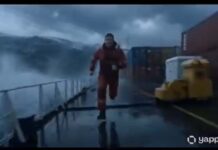
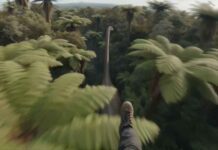
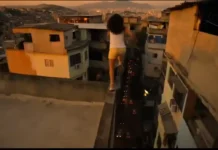
If you have seen the trending “Spatial Void Phenomena” videos on Instagram Reels or YouTube Shorts and want to create a similar video for your own channel, then you are in exactly the right place!

These days, it is the era of Text-to-Video AI. There are many powerful AI video generators available in the market right now—like Seedance 2.0, Kling 3.0, Runway ML, Google Veo 3, LTX 2.5, and Vidu AI—that can create cinematic videos just from the text you type. By using these tools, you can create amazing content for your faceless channel or meme page.
However, to make this specific viral video, we will use the best free AI tool: Seedance. Copy the prompt given below and generate your own viral video!
How to Generate the Video (Step-by-Step)
- Go to the Website: First, visit the official website of [Tool Name] and sign in for free using your Google account.
- Select Text-to-Video: On the dashboard, click on the ‘Create’ or ‘Text to Video’ option.
- Paste the Prompt: Copy the prompt provided below and paste it into the prompt box. (Note: You can change the colors or characters in the prompt if you want).
- Choose Aspect Ratio: If you are making the video for Instagram Reels or YouTube Shorts, select the 9:16 (Portrait) ratio. If it is for standard YouTube videos, keep it at 16:9 (Landscape).
- Generate: Click the ‘Generate’ button and wait 1-2 minutes. Your high-quality AI video is now ready to download!
The Copy-Paste Prompt
(Copy the exact text below)
Prompt Studio: Spatial Void Phenomenon, with Seedance 2.0 fast in @dreamina_ai
Ultra-realistic cinematic disaster, spatial void phenomenon, sections of reality disappearing, extreme danger, continuous sprint motion, ground-level perspective, environmental erasure, high contrast edges, handheld chase camera, hard cuts only, no fade, no dissolve, no morph transition.
Shot 1: Camera sprinting, parts of the street already missing, edges unnaturally sharp
Cut to Shot 2: A moving void line slices through buildings, erasing them instantly
Cut to Shot 3: Camera changes direction to avoid incoming erasure wave
Cut to Shot 4: Entire cars vanish mid-motion, leaving empty gaps
Cut to Shot 5: FULL ACTION void expands rapidly, consuming everything behind
Cut to Shot 6: IMPOSSIBLE MOMENT camera jumps across a gap where reality no longer exists
Cut to Shot 7: Buildings ahead partially disappear, creating unstable geometry
Cut to Shot 8: Camera runs along a thin strip of remaining ground
Cut to Shot 9: Final void overtakes everything, frame cuts to black
Gadget Gyani Pro Tip (For This Video)
To make this video look even more realistic, add extra details to the prompt like a “cracked building” “real skin texture” “wind” and “shoes with mud on the upper.”
For the background music, make sure to use trending Phonk or Lo-Fi audio on Instagram. This will help push your video into the algo