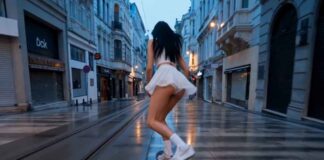
If you have seen the trending “Tango Fire Dance” videos on Instagram Reels or YouTube Shorts and want to create a similar video for your own channel, then you are in exactly the right place!
These days, it is the era of Text-to-Video AI. There are many powerful AI video generators available in the market right now like Seedance 2.0, Kling 3.0, Runway ML, Google Veo 3, LTX 2.5, and Vidu AI—that can create cinematic videos just from the text you type. By using these tools, you can create amazing content for your faceless channel or meme page.
However, to make this specific viral video, we will use the best free AI tool: Seedance 2.0. Copy the prompt given below and generate your own viral video!
How to Generate the Video (Step-by-Step)
1. Go to the Website: First, visit
OpenArt.ai (Free AI Video Generator)
and sign in for free using your Google account. OpenArt mein Seedance 2.0, Kling 3.0, or
Google Veo 3 — Its free.
Select Text-to-Video: On the dashboard, click on the ‘Create’ or ‘Text to Video’ option.
Paste the Prompt: Copy the prompt provided below and paste it into the prompt box. (Note: You can change the colors or characters in the prompt if you want).
Choose Aspect Ratio: If you are making the video for Instagram Reels or YouTube Shorts, select the 9:16 (Portrait) ratio. If it is for standard YouTube videos, keep it at 16:9 (Landscape).
Generate: Click the ‘Generate’ button and wait 1-2 minutes. Your high-quality AI video is now ready to download!
The Copy-Paste Prompt
⭐ GADGET GYANI RECOMMENDED TOOL
🎬 OpenArt.ai — Free AI Video & Image Generator
To create this video, we’ll be using OpenArt.ai — an all-in-one AI creator studio where top models like Seedance 2.0, Kling 3.0, and Google Veo 3 are all available in one place, completely FREE! Text-to-Video, Image Generation, Lip-Sync, Motion Sync — everything you need is right here.
✅ No Credit Card Required | ✅ Instant Sign-up with Google Account
(Copy the exact text below)
1. Upload the reference choreography sheet
2. Upload the tango couple’s image
3. Stream the choreography with a single prompt
9-step tango plan ➜ seamless romantic dance video
Invitation → Hand connection → Elegant turn → Final dip pose

Prompt:
Create a seamless 15-second tango choreography video using two uploaded reference images.
REFERENCE IMAGE 1:
Use the tango choreography sheet only for movement order, dance structure, and body-action logic. Do not recreate the sheet, text, arrows, numbers, borders, or panel layout.
REFERENCE IMAGE 2:
Use this woman and man as the main tango couple. The woman must match the reference: long straight black hair, blue eyes, slim elegant body, glamorous red tango dress with a thigh slit, red high-heel sandals, and refined feminine studio style. The man must match the reference: handsome, dark styled hair, fitted black shirt, black trousers, black dress shoes, elegant masculine tango presence. Keep their faces, hairstyles, outfits, body proportions, and romantic tension consistent throughout the entire video.
MAIN ACTION:
The couple performs one seamless tango flow: the man extends his hand and invites the woman to dance, she accepts and steps closer, they form a classic tango frame, glide into a smooth forward walk, shift into a controlled side step, rotate through a small pivot turn, move into an ocho setup, complete a graceful ocho, and finish with a dramatic elegant dip pose, maintaining romantic tension and continuous body connection throughout.
Gadget Gyani Pro Tip (For This Video)
To make this video look even more realistic, add extra details to the prompt like a “white background” “real skin texture” “wind” and “shoes with mud on the upper.”
For the background music, make sure to use trending Phonk or Lo-Fi audio on Instagram. This will help push your video into algorithm