Welcome guys! I’m Yogesh. If you are coming from our YouTube channel (a massive thank you to our 365K+ family!) or our latest Instagram reel to get the viral 3d neon wings name art prompt, you are exactly at the right place.

Aaj hum aapko bilkul ai photo editor anup sagar jaisi trending editing ka secret prompt denge. No Photoshop, no 20-minute tutorials, and no complicated apps. Just copy the text, paste it, and your viral profile picture is ready!
These exclusive gadget gyani ai prompts are designed to give you that perfect glowing, cinematic look that is breaking the internet right now. Let’s get straight to it.
How to Create Your 3D Neon Name Art (4 Easy Steps)
Agar aap pehli baar AI editing kar rahe hain, toh bas in simple steps ko follow karein:
- Step 1: Open Google and search for Bing Image Creator (or download the Bing app on your phone).
- Step 2: Click on the first link and log in using your Microsoft email ID (it takes 1 minute to create if you don’t have one).
- Step 3: Scroll down to the prompt boxes below. Copy the text exactly as it is.
- Step 4: Paste it into the Bing search bar. Replace the name “YOGESH” with your actual name, and click the “Create” button!
Wait for 10 seconds, and your viral photos will be ready to download in HD.
THE PROMPT BOX (Copy & Paste)
Here are the best bing image creator prompts for this trend. I have created two versions one for boys and one for girls.
For Boys (3D Neon Wings)
Long-press on the text below to copy it on your mobile:
Create a 3D realistic illusion of a 25-year-old boy sitting casually on a glowing neon chair. The boy is wearing a black hoodie and stylish sneakers. He has large, glowing neon wings behind him. The background is dark and cinematic. ‘YOGESH’ is written in bold, glowing 3D neon letters above the chair.
For Girls (3D Neon Wings)
Long-press on the text below to copy it on your mobile:
Create a 3D realistic illusion of a 22-year-old girl sitting casually on a glowing neon chair. The girl is wearing a cute pink hoodie and white sneakers. She has large, glowing neon wings behind her. The background is dark and cinematic. ‘NEHA’ is written in bold, glowing 3D neon letters above the chair.
Pro-Tip for Best Results
The best part about these prompts is that you can change them to match your own style!
- Change the Hoodie Color: Just edit the text from “black hoodie” to “red jacket” or “yellow t-shirt”.
- Change the Vibe: Change “dark and cinematic” to “rainy cyberpunk street” if you want a more aggressive, gamer look.
- Age Matters: If the AI character looks too old or too young, just change “25-year-old” to your real age!
Play around with the English text, and the AI will generate something unique just for you.
Frequently Asked Questions (FAQs)
Ans: We use Microsoft Bing Image Creator. It is the most powerful and easy-to-use tool right now, powered by DALL-E 3 technology.
Ans: Yes! It is 100% free. When you sign up, you get 15 “boosts” (coins) every day to generate images super fast. Even if your coins run out, you can still create images; it will just take a few seconds longer.
Ans: Sometimes AI makes spelling mistakes. Agar aapke naam ki spelling galat aaye, toh just click the “Create” button one more time. The AI will generate 4 new options, and usually, the spelling is fixed in the second try!
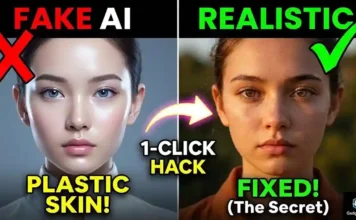
Bonus Creator Tip: Ek baar jab aapki viral 3D wings wali photo generate ho jaye, toh kabhi-kabhi AI chehre (face) ko thoda ‘plastic’ jaisa bana deta hai. Agar aap chahte hain ki aapki AI photo bilkul real aur DSLR se click ki hui lage, toh make sure to read my guide on [7 AI Photo Editing Mistakes: Fake Photo Ko Real Kaise Banaye]. Ye tips aapki DP ko baaki sabse alag bana dengi!
Conclusion
Smart editing is all about using the right prompt. Stop wasting time trying to manually draw wings and neon lights. Use these gadget gyani ai prompts and make your Instagram or WhatsApp DP stand out today.
Did you try the prompt? Comment down below which color wings you generated, and don’t forget to share this post with your friends who want to make their own 3D name art!