Home Blog Page 4

Viral Intense Fight Scene Video Prompt 2026 (Copy Paste) GGVP34

0

If you have seen the trending “Intense Fight Scene” videos on Instagram Reels or YouTube Shorts and want to create a similar video for your own channel, then you are in exactly the right place!

These days, it is the era of Text-to-Video AI. There are many powerful AI video generators available in the market right now—like Seedance 2.0, Kling 3.0, Runway ML, Google Veo 3, LTX 2.5, and Vidu AI—that can create cinematic videos just from the text you type. By using these tools, you can create amazing content for your faceless channel or meme page.

However, to make this specific viral video, we will use the best free AI tool: Seedance. Copy the prompt given below and generate your own viral video!

How to Generate the Video (Step-by-Step)

1. Go to the Website: First, visit
OpenArt.ai (Free AI Video Generator)
and sign in for free using your Google account. OpenArt mein Seedance 2.0, Kling 3.0, aur
Google Veo 3 — Its free.

Select Text-to-Video: On the dashboard, click on the ‘Create’ or ‘Text to Video’ option.

Paste the Prompt: Copy the prompt provided below and paste it into the prompt box. (Note: You can change the colors or characters in the prompt if you want).

Choose Aspect Ratio: If you are making the video for Instagram Reels or YouTube Shorts, select the 9:16 (Portrait) ratio. If it is for standard YouTube videos, keep it at 16:9 (Landscape).

Generate: Click the ‘Generate’ button and wait 1-2 minutes. Your high-quality AI video is now ready to download!

The Copy-Paste Prompt

⭐ GADGET GYANI RECOMMENDED TOOL

🎬 OpenArt.ai — Free AI Video & Image Generator

To create this video, we’ll be using OpenArt.ai — an all-in-one AI creator studio where top models like Seedance 2.0, Kling 3.0, and Google Veo 3 are all available in one place, completely FREE! Text-to-Video, Image Generation, Lip-Sync, Motion Sync — everything you need is right here.

🚀 Try OpenArt.ai for Free →

✅ No Credit Card Required  |  ✅ Instant Sign-up with Google Account

(Copy the exact text below)

The Sequence: “Corridor Breakout”
0–3s: The Ignition
Action: Leaning against a flickering fluorescent light in a narrow hallway, eyes closed.
Audio: Low hum of electricity suddenly drowned out by a gutteral, visceral roar as she pushes off the wall.
Visual: She rips a metal pipe from the wall fixture; sparks fly.
3–6s: CQC Blitz
Target A: Swift diagonal strike to the ribs → hooks the neck → spins them into the wall.
Target B: Mid-air kick to the chest → grabs their tactical vest → uses their momentum to swing them into a stack of metal crates.
SFX: Heavy metallic clangs and the sound of shattering glass.
6–8s: Wardrobe & Atmosphere
Detail: Jacket sleeves pushed up to the elbows, showing taped forearms.
Environment: Sprinklers trigger; light mist fills the air. Red emergency lights begin to strobe.
8–11s: The Grapple
Target C: Lunges with a baton → she ducks → palm strike to the chin.
Target D: Tries to restrain her from behind → she delivers a sharp backward headbutt (crunch) → she flips them over her shoulder.
11–13s: The Finisher
Action: Grabs the final guard by the collar → drags them toward a heavy security door.
Visual: Slams their head into the keypad console → sparks burst → the door hydraulics hiss open. Guard slumps to the floor.
13–15s: The Aftermath
Tone: High-contrast shadows, slow-motion water droplets.
Action: She wipes blood from her lip, her chest heaving. She steps over the bodies and disappears into the darkness of the next room.
Audio: Heartbeat thumping, fading into a single, sharp metallic ring.

Gadget Gyani Pro Tip (For This Video)

To make this video look even more realistic, add extra details to the prompt like a “Dark Look” “real skin texture” “wind” and “shoes with mud on the upper.”

For the background music, make sure to use trending Phonk or Lo-Fi audio on Instagram. This will help push your video into algorithm

Viral Super Meta Woman Video Prompt 2026 (Copy Paste) GGVP33

0

If you have seen the trending “Super Meta Woman” videos on Instagram Reels or YouTube Shorts and want to create a similar video for your own channel, then you are in exactly the right place!

These days, it is the era of Text-to-Video AI. There are many powerful AI video generators available in the market right now—like Seedance 2.0, Kling 3.0, Runway ML, Google Veo 3, LTX 2.5, and Vidu AI—that can create cinematic videos just from the text you type. By using these tools, you can create amazing content for your faceless channel or meme page.

However, to make this specific viral video, we will use the best free AI tool: Seedance. Copy the prompt given below and generate your own viral video!


How to Generate the Video (Step-by-Step)

1. Go to the Website: First, visit
OpenArt.ai (Free AI Video Generator)
and sign in for free using your Google account. OpenArt mein Seedance 2.0, Kling 3.0, aur
Google Veo 3 — Its free.

Select Text-to-Video: On the dashboard, click on the ‘Create’ or ‘Text to Video’ option.

Paste the Prompt: Copy the prompt provided below and paste it into the prompt box. (Note: You can change the colors or characters in the prompt if you want).

Choose Aspect Ratio: If you are making the video for Instagram Reels or YouTube Shorts, select the 9:16 (Portrait) ratio. If it is for standard YouTube videos, keep it at 16:9 (Landscape).

Generate: Click the ‘Generate’ button and wait 1-2 minutes. Your high-quality AI video is now ready to download!


The Copy-Paste Prompt

⭐ GADGET GYANI RECOMMENDED TOOL

🎬 OpenArt.ai — Free AI Video & Image Generator

To create this video, we’ll be using OpenArt.ai — an all-in-one AI creator studio where top models like Seedance 2.0, Kling 3.0, and Google Veo 3 are all available in one place, completely FREE! Text-to-Video, Image Generation, Lip-Sync, Motion Sync — everything you need is right here.

🚀 Try OpenArt.ai for Free →

✅ No Credit Card Required  |  ✅ Instant Sign-up with Google Account

(Copy the exact text below)

A 31-year-old woman with close-cropped silver hair, high cheekbones, deep brown skin, wearing a navy pressure-woven trench coat threaded with luminous tidal-flow patterns that ripple across the fabric like moving water — hook at second two: she drops both hands onto the pavement of a coastal boulevard and the tidal lines ignite, glowing aquamarine beneath the asphalt as underground water mains rupture in sequence.

The street begins to buckle as pressurized water channels surge upward through the infrastructure grid.

The fight is hydraulic and architectural: hydrants explode into geysers mid-combat, storm drains invert into upward water cannons, and entire intersections liquefy as subterranean flood tunnels erupt to the surface.

Her movements redirect the water systems — each step sending pressure waves through the ground that burst upward as towering water pillars.

The gauntlet moves through a waterfront district progressively consumed by ocean force: street level flooded knee-deep → ferry terminal ripped open by tidal surges → elevated expressway collapsing into a rising inland sea.

Ships break their moorings and slide into city blocks.

Glass towers fracture as high-pressure jets shear through their lower levels.

Chase-cam along a collapsing seawall as an incoming megawave overtops the harbor barrier.

Velocity ramp at the moment the harbor gates fail and the ocean pours into the city basin.

Cut to aerial: the coastline has been redrawn inland by half a kilometer.

She stands atop a flooded skyline, tidal currents spiraling around the remaining buildings.

Diegetic ocean-blue emissive lighting from the coat patterns interacting with churning floodwater, volumetric mist and spray particles, cinematic storm lighting, ultra-detailed water simulation, 4K.


Gadget Gyani Pro Tip (For This Video)

To make this video look even more realistic, add extra details to the prompt like a “crack on the road” “real skin texture” “wind” and “shoes with mud on the upper.”

For the background music, make sure to use trending Phonk or Lo-Fi audio on Instagram. This will help push your video into algorithm

Viral The Worlds End AI Video Prompt 2026 (Copy Paste) GGVP32

0

If you have seen the trending “Viral The Worlds End AI Video Prompt 2026 (Copy Paste) GGVP32” videos on Instagram Reels or YouTube Shorts and want to create a similar video for your own channel, then you are in exactly the right place!

These days, it is the era of Text-to-Video AI. There are many powerful AI video generators available in the market right now—like Seedance 2.0, Kling 3.0, Runway ML, Google Veo 3, LTX 2.5, and Vidu AI—that can create cinematic videos just from the text you type. By using these tools, you can create amazing content for your faceless channel or meme page.

However, to make this specific viral video, we will use the best free AI tool: Seedance. Copy the prompt given below and generate your own viral video!


How to Generate the Video (Step-by-Step)

1. Go to the Website: First, visit
OpenArt.ai (Free AI Video Generator)
and sign in for free using your Google account. OpenArt mein Seedance 2.0, Kling 3.0, aur
Google Veo 3 — Its free.

Select Text-to-Video: On the dashboard, click on the ‘Create’ or ‘Text to Video’ option.

Paste the Prompt: Copy the prompt provided below and paste it into the prompt box. (Note: You can change the colors or characters in the prompt if you want).

Choose Aspect Ratio: If you are making the video for Instagram Reels or YouTube Shorts, select the 9:16 (Portrait) ratio. If it is for standard YouTube videos, keep it at 16:9 (Landscape).

Generate: Click the ‘Generate’ button and wait 1-2 minutes. Your high-quality AI video is now ready to download!


The Copy-Paste Prompt

⭐ GADGET GYANI RECOMMENDED TOOL

🎬 OpenArt.ai — Free AI Video & Image Generator

To create this video, we’ll be using OpenArt.ai — an all-in-one AI creator studio where top models like Seedance 2.0, Kling 3.0, and Google Veo 3 are all available in one place, completely FREE! Text-to-Video, Image Generation, Lip-Sync, Motion Sync — everything you need is right here.

🚀 Try OpenArt.ai for Free →

✅ No Credit Card Required  |  ✅ Instant Sign-up with Google Account

(Copy the exact text below)

A 31-year-old woman with close-cropped silver hair, high cheekbones, deep brown skin, wearing a navy pressure-woven trench coat threaded with luminous tidal-flow patterns that ripple across the fabric like moving water — hook at second two: she drops both hands onto the pavement of a coastal boulevard and the tidal lines ignite, glowing aquamarine beneath the asphalt as underground water mains rupture in sequence.

The street begins to buckle as pressurized water channels surge upward through the infrastructure grid.

The fight is hydraulic and architectural: hydrants explode into geysers mid-combat, storm drains invert into upward water cannons, and entire intersections liquefy as subterranean flood tunnels erupt to the surface.

Her movements redirect the water systems — each step sending pressure waves through the ground that burst upward as towering water pillars.

The gauntlet moves through a waterfront district progressively consumed by ocean force: street level flooded knee-deep → ferry terminal ripped open by tidal surges → elevated expressway collapsing into a rising inland sea.

Ships break their moorings and slide into city blocks.

Glass towers fracture as high-pressure jets shear through their lower levels.

Chase-cam along a collapsing seawall as an incoming megawave overtops the harbor barrier.

Velocity ramp at the moment the harbor gates fail and the ocean pours into the city basin.

Cut to aerial: the coastline has been redrawn inland by half a kilometer.

She stands atop a flooded skyline, tidal currents spiraling around the remaining buildings.

Diegetic ocean-blue emissive lighting from the coat patterns interacting with churning floodwater, volumetric mist and spray particles, cinematic storm lighting, ultra-detailed water simulation, 4K.


Gadget Gyani Pro Tip (For This Video)

To make this video look even more realistic, add extra details to the prompt like a “chefs in kitchen” “real skin texture” “wind” and “shoes with mud on the upper.”

For the background music, make sure to use trending Phonk or Lo-Fi audio on Instagram. This will help push your video into alogritham


Viral Inter-Dimensional Fall AI Video Prompt 2026 (Copy Paste) GGVP31

0

If you have seen the trending “Inter-Dimensional Fall” videos on Instagram Reels or YouTube Shorts and want to create a similar video for your own channel, then you are in exactly the right place!

These days, it is the era of Text-to-Video AI. There are many powerful AI video generators available in the market right now—like Seedance 2.0, Kling 3.0, Runway ML, Google Veo 3, LTX 2.5, and Vidu AI—that can create cinematic videos just from the text you type. By using these tools, you can create amazing content for your faceless channel or meme page.

However, to make this specific viral video, we will use the best free AI tool: Seedance. Copy the prompt given below and generate your own viral video!


How to Generate the Video (Step-by-Step)

1. Go to the Website: First, visit
OpenArt.ai (Free AI Video Generator)
and sign in for free using your Google account. OpenArt mein Seedance 2.0, Kling 3.0, aur
Google Veo 3 — Its free.

Select Text-to-Video: On the dashboard, click on the ‘Create’ or ‘Text to Video’ option.

Paste the Prompt: Copy the prompt provided below and paste it into the prompt box. (Note: You can change the colors or characters in the prompt if you want).

Choose Aspect Ratio: If you are making the video for Instagram Reels or YouTube Shorts, select the 9:16 (Portrait) ratio. If it is for standard YouTube videos, keep it at 16:9 (Landscape).

Generate: Click the ‘Generate’ button and wait 1-2 minutes. Your high-quality AI video is now ready to download!


The Copy-Paste Prompt

⭐ GADGET GYANI RECOMMENDED TOOL

🎬 OpenArt.ai — Free AI Video & Image Generator

To create this video, we’ll be using OpenArt.ai — an all-in-one AI creator studio where top models like Seedance 2.0, Kling 3.0, and Google Veo 3 are all available in one place, completely FREE! Text-to-Video, Image Generation, Lip-Sync, Motion Sync — everything you need is right here.

🚀 Try OpenArt.ai for Free →

✅ No Credit Card Required  |  ✅ Instant Sign-up with Google Account

(Copy the exact text below)

A single-take ultra-wide-angle strong perspective shot, cinematic-grade ultimate photorealistic style, with no dark corners throughout the entire film. The video begins atop a skyscraper overlooking Tokyo’s Shibuya Crossing, where the red-and-white steel lattice of the distant Tokyo Tower faintly emerges in the twilight haze, its neon signs’ cold glow reflecting upward from below, tracing an electronic halo along the edges of the clouds.

A young Asian woman dressed in a modern Japanese academy style (dark gray suit jacket, navy plaid pleated skirt, a delicate silver kigawa bell-shaped pendant at her neck, white loafers, long straight black hair) stands tensely at the rooftop edge; suddenly, a hand thrusts out fiercely from her front, shoving her backward. The woman lets out a silent gasp, instantly tumbling into free fall. With gravitational acceleration, her descent speed surges wildly in accordance with physical laws; her trajectory remains consistent, but due to an unsteady center of gravity and extreme instinctive thrashing, her body uncontrollably spins and tumbles violently in the airflow, arms flailing in terror, pleated skirt and long hair whipping chaotically in the fierce wind, evoking a strikingly realistic sense of out-of-control motion. She abruptly crashes through the first flickering spatial rift, plunging into

[First Dreamscape: Ukiyo-e Mad Torrent Abyss]: The world is a collage of countless gigantic glowing Hokusai-style waves, the great wave from Under the Wave off Kanagawa transformed into a real liquid ink behemoth, its crest congealing into sharp woodblock print textures lunging toward her; blocks of indigo and negative space extend infinitely in geometric voids, legendary umibozu formed from foam and ink smudges silently roaring in the directionless emptiness. The girl streaks through these fractured wave patterns in her spin, like the sole photorealistic anchor in a chaotic spacetime. Immediately after, she shatters the spacetime barrier and bursts into

[Second Dreamscape: Kyoto Senbon Torii Corridor]: Countless vermilion torii gates fold, rotate, and extend in disordered domino-like fashion in the void, each gate’s shadow projecting into different dimensions, Inari’s white fox messengers dissolving into streaking phantom lights darting between the torii, their pupils glowing with golden-red flickers. In her accelerating plunge, the girl’s body twists into disordered lateral spins, legs kicking wildly in the air, grasping futilely at torii crossbeams that only tear through veils of vermilion visual mist. She then breaks through the rift and tumbles into

[Third Dreamscape: Mount Fuji Sakura Blizzard Nebula]: In a weightless sea of pale pink blossoms, deconstructed fragments of Mount Fuji’s ice and snow whirl at extreme speeds alongside gigantic ukiyo-e suns, countless cherry petals flowing at near-lightspeed, assembling and dispersing into shapes of crescent moons, folding fans, and washi screen panels. All sense of space dissolves; she hurtles through in a disheveled yet authentic pose amid the gold-foil cloud motifs of Edo-period golden screens, each flip scattering an explosion of petals. As her downward momentum surges exponentially, she plummets into

[Fourth Dreamscape: Noh Mask Kaleidoscope]: Countless floating noh masks, kabuki kumadori faces, and red and blue oni visages form a ringed mirror array in the void, all eyes turning toward her before randomly snapping shut in the next frame; the background weaves glowing matrices from gold mud and vermilion lacquer geometric patterns. She tumbles ceaselessly through this kaleidoscopic aesthetic, each limb flail trailing ghostly afterimages of masks behind her; then she charges into

[Fifth Dreamscape: Bamboo Grove and Koi Galaxy]: The infinitely extending Arashiyama bamboo forest of Kyoto interlaces and grows in the void, liquid galaxies flowing between bamboo joints, gigantic koi swimming in luminous forms through the bamboo shadows, illusions of two moons breathing in alternating light and dark amid the disoriented space, speeds reaching ultra-high frequencies. She hurtles into

[Sixth Dreamscape: Shinkansen Lightspeed Vortex]: Countless iconic white-and-blue Shinkansen bodies form multidimensional spirals in energy waveforms, pure-energy rails crisscrossing in luminous grids, station signs’ Japanese characters flickering and recombining at dozens of frames per second. At this point, her fall velocity hits the physical critical threshold, and the frame instantly shifts to

[Limit Dimension Flash Cuts]: The background erupts in violent high-frequency electric flashes, countless Japanese symbols—sushi, maneki-neko, Daruma dolls, shamisen, wagashi, fractal arabesque patterns, Akihabara neon signs, matcha-green chasen whisks—slamming into the view in rapid-fire succession within less than a second.

The girl’s falling motion appears relatively “frozen” in the lens, her form size stable, yet she maintains her intensely photorealistic posture of struggle and spin, as the world behind her reels backward in frenzy. Meanwhile, the camera hurtles oppressively toward the girl’s face in a rapid zoom, locking onto a close-up of her shock-constricted pupils.

Finally, the woman seems to shatter the last membrane of reality, the entire real world “crashing” toward her in an explosively impactful instant—the massive Shibuya Crossing crowds reassembling beneath her feet in a flash and freezing still. In the moment her immense inertia halts, the girl’s feet land solidly; the lens snaps agilely to a frontal extreme close-up of the woman, the frame returning to ultimate photorealistic reality on the street, her features pale with lingering shock, breaths coming in ragged gasps, sweat and disheveled strands of hair vividly clear. Surrounding pedestrians clutch phones, wear earbuds with hurried expressions, and pause to stare sidelong, their gazes a mix of astonishment and indifference toward this abruptly materialized Asian girl radiating surreal vibes, the entire piece cutting abruptly to a halt in the stark collision of reality and absurdity.


Gadget Gyani Pro Tip (For This Video)

To make this video look even more realistic, add extra details to the prompt like a “chefs in kitchen” “real skin texture” “wind” and “shoes with mud on the upper.”

For the background music, make sure to use trending Phonk or Lo-Fi audio on Instagram. This will help push your video into alogritham

Viral Solo Climber Hyperlapse AI Video Prompt 2026 (Copy Paste) GGVP30

0

These days, it is the era of Text-to-Video AI. There are many powerful AI video generators available in the market right now—like Seedance 2.0, Kling 3.0, Runway ML, Google Veo 3, LTX 2.5, and Vidu AI—that can create cinematic videos just from the text you type. By using these tools, you can create amazing content for your faceless channel or meme page.

If you have seen the trending “Solo Climber Hyperlapse” videos on Instagram Reels or YouTube Shorts and want to create a similar video for your own channel, then you are in exactly the right place!

However, to make this specific viral video, we will use the best free AI tool: Seedance. Copy the prompt given below and generate your own viral video!


How to Generate the Video (Step-by-Step)

  1. Go to the Website: First, visit the official website of [Tool Name] and sign in for free using your Google account.
  2. Select Text-to-Video: On the dashboard, click on the ‘Create’ or ‘Text to Video’ option.
  3. Paste the Prompt: Copy the prompt provided below and paste it into the prompt box. (Note: You can change the colors or characters in the prompt if you want).
  4. Choose Aspect Ratio: If you are making the video for Instagram Reels or YouTube Shorts, select the 9:16 (Portrait) ratio. If it is for standard YouTube videos, keep it at 16:9 (Landscape).
  5. Generate: Click the ‘Generate’ button and wait 1-2 minutes. Your high-quality AI video is now ready to download!

The Copy-Paste Prompt

⭐ GADGET GYANI RECOMMENDED TOOL

🎬 OpenArt.ai — Free AI Video & Image Generator

To create this video, we’ll be using OpenArt.ai — an all-in-one AI creator studio where top models like Seedance 2.0, Kling 3.0, and Google Veo 3 are all available in one place, completely FREE! Text-to-Video, Image Generation, Lip-Sync, Motion Sync — everything you need is right here.

🚀 Try OpenArt.ai for Free →

✅ No Credit Card Required  |  ✅ Instant Sign-up with Google Account

(Copy the exact text below)

Cinematic hyperlapse, 16:9, 15 seconds, photorealistic, dramatic mountain lighting, drone-style ascending camera.

[0:00–0:04] Base camp of a massive mountain. A solo climber checks gear at dawn. Hyperlapse begins: she ascends the first ridge, each step a blur. The landscape shifts — green meadow gives way to rocky scree. Cloud shadows race across the mountainside. Other hikers appear and fall behind as she pushes higher. The tree line drops below her.

[0:04–0:08] The climb gets brutal. Snow appears. Ice axes come out. The sky darkens to deep blue as altitude increases. Her breath fogs in rapid clouds. Day-night-day cycles flash. She sets up camp in hyperlapse — tent up, tent down, moving higher. The world below becomes a patchwork quilt of fields and rivers, shrinking. Above: only rock, ice, and sky.

[0:08–0:12] The final push. Vertical ice wall. She climbs in hyperlapse — pick, kick, pull, repeat. Wind rips at her jacket. The summit ridge appears — a knife-edge of snow with thousand-foot drops on both sides. She walks it step by deliberate step. The hyperlapse slows. Each footprint matters now. The peak is visible — a tiny point above, catching the first light of dawn.

[0:12–0:15] EPIC VERSION: She reaches the summit. The hyperlapse STOPS. Real-time. She stands on the highest point. The camera pulls back in a massive drone reveal — 360 degrees of mountains, clouds BELOW her, the curve of the earth faintly visible on the horizon. Golden light hits her face. She closes her eyes. Wind whips her hair. She raises one hand toward the sun. The entire world is beneath her. No words. Just wind and light and earned silence. Fade to white.

Sound: boots on gravel → accelerating footsteps → wind building → ice axe strikes → crampons crunching → wind howling → footsteps slowing → final step → wind drops to gentle breeze → sunrise tone → one exhale → silence.

Gadget Gyani Pro Tip (For This Video)

To make this video look even more realistic, add extra details to the prompt like a “top of the mountain with snow” “real skin texture” “wind” and “shoes with mud on the upper.”

For the background music, make sure to use trending Phonk or Lo-Fi audio on Instagram. This will help push your video into alogritham

Viral Cinematic Time-Freeze AI Video Prompt 2026 (Copy Paste) GGVP29

0

If you have seen the trending “Cinematic Time-Freeze” videos on Instagram Reels or YouTube Shorts and want to create a similar video for your own channel, then you are in exactly the right place!

These days, it is the era of Text-to-Video AI. There are many powerful AI video generators available in the market right now—like Seedance 2.0, Kling 3.0, Runway ML, Google Veo 3, LTX 2.5, and Vidu AI—that can create cinematic videos just from the text you type. By using these tools, you can create amazing content for your faceless channel or meme page.

However, to make this specific viral video, we will use the best free AI tool: Seedance. Copy the prompt given below and generate your own viral video!


How to Generate the Video (Step-by-Step)

  1. Go to the Website: First, visit the official website of [Tool Name] and sign in for free using your Google account.
  2. Select Text-to-Video: On the dashboard, click on the ‘Create’ or ‘Text to Video’ option.
  3. Paste the Prompt: Copy the prompt provided below and paste it into the prompt box. (Note: You can change the colors or characters in the prompt if you want).
  4. Choose Aspect Ratio: If you are making the video for Instagram Reels or YouTube Shorts, select the 9:16 (Portrait) ratio. If it is for standard YouTube videos, keep it at 16:9 (Landscape).
  5. Generate: Click the ‘Generate’ button and wait 1-2 minutes. Your high-quality AI video is now ready to download!

The Copy-Paste Prompt

⭐ GADGET GYANI RECOMMENDED TOOL

🎬 OpenArt.ai — Free AI Video & Image Generator

To create this video, we’ll be using OpenArt.ai — an all-in-one AI creator studio where top models like Seedance 2.0, Kling 3.0, and Google Veo 3 are all available in one place, completely FREE! Text-to-Video, Image Generation, Lip-Sync, Motion Sync — everything you need is right here.

🚀 Try OpenArt.ai for Free →

✅ No Credit Card Required  |  ✅ Instant Sign-up with Google Account

(Copy the exact text below)

Cinematic time-freeze short film, 15s, ultra-realistic, Arri Alexa Mini, 35mm lens. Lighting: Industrial kitchen, harsh overhead fluorescents mixed with warm copper stove glows, heavy volumetric steam, deep shadows, shallow DOF.

[0:00–0:03] A high-pressure Michelin-star kitchen. Chefs are screaming, pans are flaming. Steadicam frontal medium shot tracking a calm Head Chef walking through the frantic line. A massive bag of flour has just burst in the background. She raises her hand and snaps.

[0:03–0:06] Snap triggers a spherical shockwave with light refraction, and the entire world freezes instantly. A cloud of white flour is suspended in mid-air, every grain distinct. Arcs of boiling red demi-glace sauce hang in the air like glass sculptures. A tray of silver spoons is caught mid-clatter, hovering at odd angles. Absolute silence.

[0:06–0:09] Only she moves, her boots clicking on tile. The camera retreats as she weaves through the frozen chefs. She ducks under a suspended splash of wine. She reaches into a cloud of floating black peppercorns and plucks one.

[0:09–0:11] She stops before a commis chef whose face is contorted in panic, holding a lopsided plate. She tilts her head, uses a finger to perfectly center a black peppercorn on the plate. She smirks.

[0:11–0:15] She snaps, and reverses the entire shockwave. The flour cloud settles, the demi-glace splashes, and the kitchen roar returns instantly. She walks off-frame as the chaos resumes.


Gadget Gyani Pro Tip (For This Video)

To make this video look even more realistic, add extra details to the prompt like a “chefs in kitchen” “real skin texture” “wind” and “shoes with mud on the upper.”

For the background music, make sure to use trending Phonk or Lo-Fi audio on Instagram. This will help push your video into alogritham

Viral The Olympics AI Video Prompt 2026 (Copy Paste) GGVP28

0

If you have seen the trending “The Olympics Discus Throw” videos on Instagram Reels or YouTube Shorts and want to create a similar video for your own channel, then you are in exactly the right place!

These days, it is the era of Text-to-Video AI. There are many powerful AI video generators available in the market right now—like Seedance 2.0, Kling 3.0, Runway ML, Google Veo 3, LTX 2.5, and Vidu AI—that can create cinematic videos just from the text you type. By using these tools, you can create amazing content for your faceless channel or meme page.

However, to make this specific viral video, we will use the best free AI tool: Seedance. Copy the prompt given below and generate your own viral video!


How to Generate the Video (Step-by-Step)

  1. Go to the Website: First, visit the official website of [Tool Name] and sign in for free using your Google account.
  2. Select Text-to-Video: On the dashboard, click on the ‘Create’ or ‘Text to Video’ option.
  3. Paste the Prompt: Copy the prompt provided below and paste it into the prompt box. (Note: You can change the colors or characters in the prompt if you want).
  4. Choose Aspect Ratio: If you are making the video for Instagram Reels or YouTube Shorts, select the 9:16 (Portrait) ratio. If it is for standard YouTube videos, keep it at 16:9 (Landscape).
  5. Generate: Click the ‘Generate’ button and wait 1-2 minutes. Your high-quality AI video is now ready to download!

The Copy-Paste Prompt

(Copy the exact text below)

[BROADCAST SETUP] Live TV sports broadcast signal, 1080i HD resolution, 50fps. Shot on professional ENG stadium cameras. Standard TV color balance with natural daylight. No color grading, no cinematic filters, no artificial post-processing. Real-world stadium acoustics and ambient light. Audio Style: Immersive spatial sound design. Loud stadium atmosphere, crowd roar, metallic clink of the hammer chain, stadium announcer muffled in the background, wind noise on the microphone.

[TIMELINE SECOND BY SECOND]
0-4s: [Medium-wide broadcast shot] Swedish male athlete with long blonde hair and beard (viking-like) spinning rapidly in the hammer throw circle. Authentic Olympic uniform. Real-life physics and momentum.

4-7s: [Broadcast tracking shot] The athlete releases the giant hammer. The camera pans fast to follow the arc of the heavy metal ball flying through the air against the stadium sky. Realistic high-speed physics.

7-12s: [Wide stadium view] The hammer heads towards the lower stands at high speed. A grandmotherly woman in the front row reaches out and catches the giant hammer firmly with both hands. No slow motion, real-time broadcast speed.

12-15s: [Reaction shot] The surrounding crowd jumps up and applauds. The woman holds the hammer, looking at the camera. Authentic live TV cut to the crowd’s genuine reaction.

[QUALITY BOOSTERS] Photorealistic live footage, 1:1 sports broadcast physics, authentic Olympic stadium environment, sharp details on clothing and skin, natural motion blur from high-speed movement, stable facial features throughout the clip.


Gadget Gyani Pro Tip (For This Video)

To make this video look even more realistic, add extra details to the prompt like a “sitting space full of people and kids” “real skin texture” “wind” and “shoes with mud on the upper.”

For the background music, make sure to use trending Phonk or Lo-Fi audio on Instagram. This will help push your video into alogritham
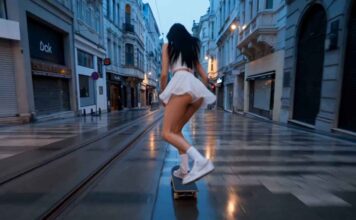
Viral Tiny Girl Roaming in Park AI Video Prompt 2026 (Copy Paste) GGVP27

0

If you have seen the trending “Tiny Girl Roaming in Park” videos on Instagram Reels or YouTube Shorts and want to create a similar video for your own channel, then you are in exactly the right place!

These days, it is the era of Text-to-Video AI. There are many powerful AI video generators available in the market right now—like Seedance 2.0, Kling 3.0, Runway ML, Google Veo 3, LTX 2.5, and Vidu AI—that can create cinematic videos just from the text you type. By using these tools, you can create amazing content for your faceless channel or meme page.

However, to make this specific viral video, we will use the best free AI tool: Seedance. Copy the prompt given below and generate your own viral video!


How to Generate the Video (Step-by-Step)

  1. Go to the Website: First, visit the official website of [Tool Name] and sign in for free using your Google account.
  2. Select Text-to-Video: On the dashboard, click on the ‘Create’ or ‘Text to Video’ option.
  3. Paste the Prompt: Copy the prompt provided below and paste it into the prompt box. (Note: You can change the colors or characters in the prompt if you want).
  4. Choose Aspect Ratio: If you are making the video for Instagram Reels or YouTube Shorts, select the 9:16 (Portrait) ratio. If it is for standard YouTube videos, keep it at 16:9 (Landscape).
  5. Generate: Click the ‘Generate’ button and wait 1-2 minutes. Your high-quality AI video is now ready to download!

The Copy-Paste Prompt

(Copy the exact text below)

Here is the Full Prompt rendered on Seedance 2.0 1080p on Runway:

photrealism movie style
0:00 – 0:02 EXT. PARK – DAY – TREE BRANCH A Japanese schoolgirl crouches on a branch— She launches forward decisively. Camera dives with her.

0:02 – 0:04 0:02 – 0:04 FREE FALL → PICNIC TABLE She drops fast toward a picnic table— IMPACT— The moment she hits— Scale snap: she’s now tiny (soda-can size). Table surface becomes a vast landscape with food and drinks. she imideatielly runs in the same direction she landed, between the food items at high speed

0:04 – 0:06 TABLE SURFACE – CONTINUOUS MOTION A bee rockets past— She lands onto its back fcing forward in riding position mid-flight— Scale snap: now same size as the bee.

0:06 – 0:09 BEE FLIGHT – HIGH SPEED The bee darts forward aggressively— She clings tight as they weave at high speed between the legs of people walking— Shoes slam down around them like obstacles. Wind blasts her hair back.

0:09 – 0:11 SLOW-MOTION SCENE She clings to the bee as they are flying through kids having a waterballon fight

0:11 – 0:12.5 normal speed the bee rockets trough the legs of a group of cheerleaders standing in a row

0:12.5 – 0:13.5 She jumps off the bee. Scale snap: now she is normal human size again she falls into the open arms of a male student and they are both same size now

0:13.5 – 0:15 she hugs the male student and winks at the camera


Gadget Gyani Pro Tip (For This Video)

To make this video look even more realistic, add extra details to the prompt like a “park full of people and kids” “real skin texture” “wind” and “shoes with mud on the upper.”

For the background music, make sure to use trending Phonk or Lo-Fi audio on Instagram. This will help push your video into alogritham
Viral Split-Screen AI Video Prompt 2026 (Copy Paste) GGVP26

0

If you have seen the trending “Split-Screen” videos on Instagram Reels or YouTube Shorts and want to create a similar video for your own channel, then you are in exactly the right place!

These days, it is the era of Text-to-Video AI. There are many powerful AI video generators available in the market right now—like Seedance 2.0, Kling 3.0, Runway ML, Google Veo 3, LTX 2.5, and Vidu AI—that can create cinematic videos just from the text you type. By using these tools, you can create amazing content for your faceless channel or meme page.

However, to make this specific viral video, we will use the best free AI tool: Seedance. Copy the prompt given below and generate your own viral video!


How to Generate the Video (Step-by-Step)

  1. Go to the Website: First, visit the official website of [Tool Name] and sign in for free using your Google account.
  2. Select Text-to-Video: On the dashboard, click on the ‘Create’ or ‘Text to Video’ option.
  3. Paste the Prompt: Copy the prompt provided below and paste it into the prompt box. (Note: You can change the colors or characters in the prompt if you want).
  4. Choose Aspect Ratio: If you are making the video for Instagram Reels or YouTube Shorts, select the 9:16 (Portrait) ratio. If it is for standard YouTube videos, keep it at 16:9 (Landscape).
  5. Generate: Click the ‘Generate’ button and wait 1-2 minutes. Your high-quality AI video is now ready to download!

The Copy-Paste Prompt

⭐ GADGET GYANI RECOMMENDED TOOL

🎬 OpenArt.ai — Free AI Video & Image Generator

To create this video, we’ll be using OpenArt.ai — an all-in-one AI creator studio where top models like Seedance 2.0, Kling 3.0, and Google Veo 3 are all available in one place, completely FREE! Text-to-Video, Image Generation, Lip-Sync, Motion Sync — everything you need is right here.

🚀 Try OpenArt.ai for Free →

✅ No Credit Card Required  |  ✅ Instant Sign-up with Google Account

(Copy the exact text below)

A new split-screen prompt experiment.

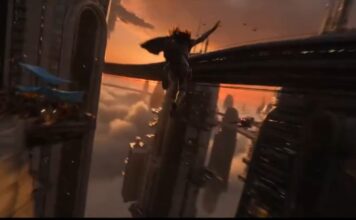
Prompt : Sweeping romantic harbor festival at sunset with lanterns, sea wind, warm amber glow, and crowds moving through music and laughter. Split screen vertically for the full sequence. On the left side, follow her with a soft floating camera weaving through dancers and market stalls as she suddenly notices him across the harbor square. On the right side, show the same instant from his perspective, a slow push through lantern light and passing couples as he spots her at exactly the same moment. Both halves mirror the same event but with different emotional emphasis, her side showing hesitation and vulnerability, his side showing disbelief and hope. The camera on each half circles slightly as they begin moving toward one another through the crowd, with near misses, shifting eyelines, and people crossing frame in sync.
Climax: both sides reach the seawall at the same time, and the split screen collapses visually in spirit as their hands meet.
Ending: hold the split for a few seconds longer even in the embrace, showing each face from the other’s point of view as lanterns rise behind them.


Gadget Gyani Pro Tip (For This Video)

To make this video look even more realistic, add extra details to the prompt like a “room full of people” “real skin texture” “wind” and “shoes with mud on the upper.”

For the background music, make sure to use trending Phonk or Lo-Fi audio on Instagram. This will help push your video into the algorithm

Viral War Horse Sprint AI Video Prompt 2026 (Copy Paste) GGVP25

0

If you have seen the trending “War Horse Sprint AI” videos on Instagram Reels or YouTube Shorts and want to create a similar video for your own channel, then you are in exactly the right place!

These days, it is the era of Text-to-Video AI. There are many powerful AI video generators available in the market right now—like Seedance 2.0, Kling 3.0, Runway ML, Google Veo 3, LTX 2.5, and Vidu AI—that can create cinematic videos just from the text you type. By using these tools, you can create amazing content for your faceless channel or meme page.

However, to make this specific viral video, we will use the best free AI tool: Seedance. Copy the prompt given below and generate your own viral video!


How to Generate the Video (Step-by-Step)

  1. Go to the Website: First, visit the official website of [Tool Name] and sign in for free using your Google account.
  2. Select Text-to-Video: On the dashboard, click on the ‘Create’ or ‘Text to Video’ option.
  3. Paste the Prompt: Copy the prompt provided below and paste it into the prompt box. (Note: You can change the colors or characters in the prompt if you want).
  4. Choose Aspect Ratio: If you are making the video for Instagram Reels or YouTube Shorts, select the 9:16 (Portrait) ratio. If it is for standard YouTube videos, keep it at 16:9 (Landscape).
  5. Generate: Click the ‘Generate’ button and wait 1-2 minutes. Your high-quality AI video is now ready to download!

The Copy-Paste Prompt

(Copy the exact text below)

Warhorse sprint on a cliff aqueduct (15 seconds, single continuous shot)
A sweeping wide of ancient cliffs and a narrow aqueduct clinging to them. The camera dives to a tiny moving spark: a rider on a warhorse sprinting impossibly fast along the stone channel. Lock-on: hooves strike, water splashes, stone chips fly. The camera slingshots past, whips around, and drops tight to hoof-level: droplets and grit snapping off with each impact. The aqueduct cracks; sections tilt. The rider makes a last-second lateral leap across a broken span, and the camera roll-matches the jump, skimming the water’s surface below. A rockslide slams into the far side; the pair thread between falling blocks, then burst through a mist cloud from a cascading spillway. Final reveal: the camera rockets up to show the aqueduct pouring into a sunlit terraced oasis city, suddenly serene.


Gadget Gyani Pro Tip (For This Video)

To make this video look even more realistic, add extra details to the prompt like a “dark room” “real skin texture” “wind” and “shoes with mud on the upper.”

For the background music, make sure to use trending Phonk or Lo-Fi audio on Instagram. This will help push your video into the algorithm

5,000FansLike
5,000FollowersFollow
4,000SubscribersSubscribe
10 Best Free AI Tools 2026 - Tested & Ranked for Indians

10 Best Free AI Tools 2026 Jo Har Indian Ke Kaam...

0
Pichle 6 mahine mein maine 25 se zyada AI tools test kiye hain. Kuch mein paisa barbaad hua, kuch ne time waste kiya, aur...

AI Updates