Welcome to Gadget Gyani! I’m Anand, and if you saw our latest Reel and want to create that epic 3D floating island of your own city with your name carved on it, you are in the perfect place.

Whether you want to show off some hometown pride, manifest your dream city, or just create your own piece of virtual real estate floating in the clouds, this floating land name art trend is exactly what you need.
Aajkal Instagram par ye 3d floating island ai prompt bohot viral ho raha hai. Sab log apne shehar ya gaon ka naam 3D mein hawa mein udte hue dikha rahe hain. Aaj hum aapko iska ekdum refined aur secret gadget gyani ai prompts denge. Just copy the text and paste! Agar aap ai photo editor anup sagar 3d style ki flawless editing pasand karte hain, toh ye direct prompts aapka bohot time bachaenge.
How to Create the 3D Floating Island Image (4 Simple Steps)
Let’s start with creating a high-quality 8K image. For this, we will use Microsoft’s free AI tool.
- Step 1: Open your mobile or PC browser and search for GOOGLE Gemini .
- Step 2: Sign in using your Gmail ID (it takes only a minute and is totally free).
- Step 3: Scroll down and copy the highly detailed Image Prompt from the box below.
- Step 4: Paste it into the search bar. Replace the words “[YOUR CITY]” with your actual city name (e.g., Delhi, Mumbai, Gurugram) and “[YOUR NAME]” with your real name. Click Create!
PROMPT BOX 1: High-Quality Image Prompt (Copy & Paste)
This prompt is heavily refined with specific photography keywords to ensure it looks like a real drone shot, not a cheap cartoon. Long-press to copy this block:
Create an ultra-HD, hyper-realistic digital poster of a floating miniature island shaped like [Country Name or City Name], resting on soft white clouds in the sky.

Blend iconic landmarks such as [Famous Landmark 1], [Famous Landmark 2], and [Famous Landmark 3], along with natural landscapes like [Mountain / River / Desert / Beach] and [Another Natural Element].

Include cultural elements unique to [Country or City], such as [Traditional Architecture / Festival / Vehicles / Clothing / Symbols].

Carve “[NAME IN CAPITAL LETTERS]” into the terrain using large white 3D letters seamlessly integrated into the landscape.

Add artistic details like [Famous Animal / Wildlife], cinematic golden-hour lighting, dramatic clouds, volumetric light rays, vivid colors, ultra-detailed textures, aerial drone perspective, realistic shadows, depth of field, and sun reflections to enhance realism.

8K resolution, sharp focus, professional photography, hyper-detailed, photorealistic rendering.
How to Animate Your Floating Island into a Viral Video!
Ek normal image se zyada viral ek 3D video hoti hai. Agar aap chahte hain ki aapki floating island ke aas-paas baadal udein aur waterfalls neeche giren, toh aapko AI Video generators ka use karna padega.
Want to animate this? You can use free tools like Runway Gen-2, Luma Dream Machine, or Kaiber AI.
Just go to any of these AI video websites, select the “Text-to-Video” option, and paste the special cinematic prompt below.
PROMPT BOX 2: Cinematic Video Animation Prompt
This prompt includes specific camera movements (parallax depth) and motion keywords to make your video dynamic. Copy this entire block:
Create an intense cinematic 8K animation of a floating miniature island shaped like [Country], drifting above dramatic moving clouds in the sky.

Start with the camera emerging from inside fast-moving clouds, then smoothly orbit around the island with strong parallax depth. Add dynamic push-in movement, slight cinematic tilt, and smooth rotational transitions for a Hollywood trailer look.

Blend iconic landmarks like [Landmark 1], [Landmark 2], and natural landscapes such as [Landscape 1] and [Landscape 2] seamlessly into the terrain. Include cultural elements unique to [Country] (traditional architecture, local vehicles, festivals, flags, or costumes).

Carve “[Country Name in CAPITALS]” into the terrain using large white 3D letters glowing subtly.

Add heavy environmental motion: fast-moving foreground clouds, birds flying close to the camera with motion blur, strong wind simulation in trees and flags, flowing rivers or waterfalls, moving traffic lights (if urban), drifting fog and dust particles.

Use dramatic golden-hour lighting with volumetric god rays, cinematic lens flare, depth of field changes during camera movement, realistic shadows, ultra-detailed textures, high contrast color grading, and an epic atmospheric background vibe for maximum realism.
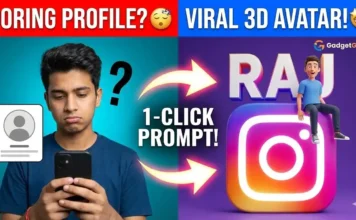
Bonus Creator Tip: Apni city ki floating island toh aapne asmaan mein uda li, par kya aapka social media avatar abhi bhi boring hai? Agar aap apne Instagram, Snapchat, ya YouTube logo ke upar baitha hua apna khud ka ek cool 3D avatar banana chahte hain, toh check out my previous viral guide: [Viral 3D Social Media Profile Name Art AI Prompts | Gadget Gyani]. Wahan maine bilkul free copy-paste prompts diye hain jisse aapki DP next level premium lagegi!
Frequently Asked Questions (FAQs)
Ans: Yes, absolutely! Just type your village or town name instead of the city in the bracket “[YOUR CITY]”. The AI is smart enough to generate a beautiful green landscape and carve your village’s name perfectly into the 3D land.
Ans: Right now, Luma Dream Machine gives some of the most stunning and realistic free results for camera movements. Runway Gen-2 is also a great alternative if you want to use the text prompt directly.
Ans: Sometimes the AI gets confused with the glowing letters. If the spelling is wrong, simply hit the “Create” button one more time without changing the text. The AI will generate a fresh image, usually with the correct spelling!
Conclusion:
Stop using those basic 2D name arts. Claim your virtual real estate in the sky! Copy these gadget gyani ai prompts, generate your stunning floating city, and set it as your new DP or upload it as an Instagram Reel with some trending cinematic music.
Aapne kis shehar (city) ya gaon ka naam banaya? Comment below and let me know if you want me to share more amazing prompts for YouTube creators next!
Would you like me to write the Internal Linking paragraph, Yoast SEO Checklist, and Social Media kit for this article as well?