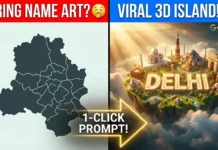
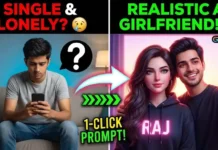
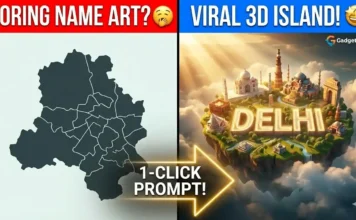
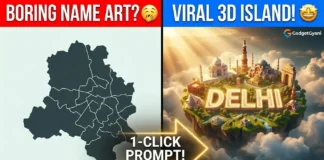
Welcome to Gadget Gyani! I’m Anand, and if you saw our latest Reel and want to create those viral 3D photos where you are sitting on a giant Instagram or Snapchat logo with your name glowing in the background, you are exactly at the right place.

Right now, the internet is absolutely obsessed with this 3D Avatar trend. Har koi apni DP update kar raha hai. Aaj hum aapko instagram 3d name art aur ai photo editor anup sagar 3d style ke best VIP prompts denge. No need to learn complex editing software. Just copy the text, paste it, and your personalized 3D avatar is ready!
These exclusive gadget gyani ai prompts are designed to give you the perfect 3d social media profile ai prompt in just one click. Let’s level up your profile picture game!
How to Make Your 3D Profile Avatar (4 Simple Steps)
Agar aap pehli baar AI image generate kar rahe hain, toh tension mat lijiye. Follow these super easy steps:
- Step 1: Open your mobile browser and search for Microsoft Bing Image Creator or GOOGLE GEMINI PHOTO EDITOR.
- Step 2: Sign in using your Microsoft Email ID (If you don’t have one, it takes just 1 minute to create for free).
- Step 3: Scroll down and copy your favorite 3D prompt from the boxes below.
- Step 4: Paste the text into the Bing search box. Replace the words “YOUR NAME” with your actual name, and click the ‘Create’ button!
Wait 10-15 seconds, and the AI will generate four amazing 3D images for you to download in HD.
THE PROMPT BOXES (Copy & Paste)
Here are the top 3 viral social media prompts. Pick your favorite platform!
PROMPT 1: The Instagram 3D King/Queen
Want that premium Instagram influencer look? Long-press to copy this block:
Plaintext
Create a 3D illustration of an animated 22-year-old boy sitting casually on top of a giant 3D Instagram logo. The boy is wearing a modern casual outfit with a stylish jacket and sneakers. The background is a social media profile page with the username 'YOUR NAME' written in bold, glowing text. The background features Instagram elements, likes, and a modern aesthetic, 8k resolution.
(Note for Girls: Just change the word “boy” to “girl” and “stylish jacket” to “cute hoodie” before clicking Create!)
PROMPT 2: The Snapchat Swag
If you are a Snapchat user with the highest streaks, this neon vibe is for you. Long-press to copy:
Plaintext
Create a 3D illustration of a cool young boy sitting on a glowing 3D Snapchat ghost logo. He is wearing a yellow and black streetwear hoodie and headphones. The background is a glowing neon yellow environment with the name 'YOUR NAME' written in bold 3D text behind him. Highly detailed, photorealistic.
(Note for Girls: Change “cool young boy” to “stylish young girl” and edit the clothing style to match your vibe!)
PROMPT 3: The YouTube Creator Vibe
Want to show off your creator side? This gaming/studio setup look is perfect. Long-press to copy:
Plaintext
Create a 3D realistic illustration of a boy sitting on a large 3D YouTube play button. He has a camera in one hand and is wearing a stylish red and black outfit. The background is a modern gaming/studio room with neon red lights. The name 'YOUR NAME' is displayed in glowing 3D red letters on the wall behind him.
Pro-Tip for 100% Customization
The magic of these prompts is that they are fully customizable. Aap apne hisaab se apne avatar ke kapde aur background change kar sakte hain!
For example, if you want your character to wear a suit instead of a jacket, just change the English text from “stylish jacket” to “black tuxedo suit”. You can also change the age from “22-year-old” to whatever your real age is so the AI matches your vibe perfectly.
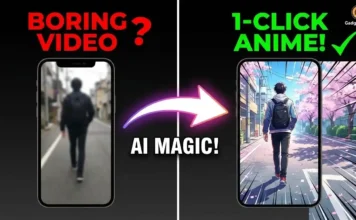
Bonus Creator Tip: Aapne apni nayi 3D Social Media DP toh bana li, par kya aap apne Instagram Reels ko bhi next level par le jana chahte hain? Agar aap apni kisi bhi normal smartphone video ko 1-click mein Japanese Anime ya 3D Cartoon mein convert karna chahte hain, toh make sure to check out my previous viral guide: [Gadget Gyani AI Video Editing: Normal Video Ko Anime Kaise Banaye]. DP aur Reels, dono jagah trend follow kariye aur views badhaiye!
Frequently Asked Questions (FAQs)
Ans: Yes, absolutely! Just change the word ‘Instagram’ in the prompt to ‘WhatsApp’, ‘Facebook’, or even ‘LinkedIn’. Also, make sure to change the color keywords (like changing “neon red lights” to “neon green lights” for WhatsApp). The AI will adapt instantly!
Ans: Yes! Microsoft gives you 15 free “boosts” (lightning coins) every single day. These boosts make your images generate super fast. Even if your 15 boosts finish, you can still create unlimited images; it will just take a little longer to load.
Ans: AI sometimes makes tiny spelling errors on the glowing text. Agar aesa ho, toh bina prompt change kiye ‘Create’ button par dobara click karein. AI will generate a fresh batch and the spelling will usually be fixed on the second try.
Conclusion: Update Your DP Now!
Say goodbye to boring, old profile pictures. Use these gadget gyani ai prompts, create your personalized 3D social media name art, and flex it on your friends’ group chats!
Which platform’s 3D logo did you choose? Instagram, Snapchat, or YouTube? Drop a comment below and let me know!
Would you like me to generate the Yoast SEO Kit, Internal Linking paragraph, and Social Media Captions for this post?