Enter the Magical World of Anime in 1-Click!

Welcome to Gadget Gyani! If you are a fan of movies like Spirited Away, Howl’s Moving Castle, or My Neighbor Totoro, you probably love the mesmerizing Studio Ghibli aesthetic. Unke lush green landscapes, glowing skies, aur peaceful vibes sabko pasand aate hain. Today, we will show you how to transform your everyday photos into a magical anime scene for free using the ultimate studio ghibli ai photo generator tricks.
Aaj hum aapko wo secret ghibli style ai prompt denge jisse aap apni DP ko ek anime masterpiece mein badal sakte hain. Chaliye dekhte hain convert photo to anime ai free kaise karein!

Method 1: The Text-to-Image Magic (Bing Image Creator)
Agar aapko bas ek cool anime avatar chahiye bina apni original photo use kiye, toh Microsoft Bing Image Creator (powered by DALL-E 3) sabse best aur free tool hai. Niche diye gaye gadget gyani ai prompts ko copy karein aur Bing mein paste karein!
THE PROMPT BOX 1: For the Boys
Ye prompt ek ladke ko Ghibli ke classic magical nature vibe mein dikhayega. Perfect for a calm and aesthetic WhatsApp DP.
Use the reference image and make a Studio Ghibli animation style, a 20-year-old Indian boy standing in a magical lush green meadow, wind blowing through his hair. He is wearing a casual jacket and carrying a backpack. The background has vibrant watercolor blue skies, giant fluffy clouds, and a distant magical castle. Beautiful lighting, whimsical anime aesthetic, 8k resolution, highly detailed.
THE PROMPT BOX 2: For the Girls
Agar aapko cute aur peaceful anime aesthetic pasand hai, toh ye glowing fireflies aur calm river stream wala prompt aapko ekdum enchanting look dega.
Use reference image and make a Studio Ghibli animation style, a beautiful young girl sitting by a calm river stream, reading a book. She is wearing a simple aesthetic dress. Surrounded by glowing fireflies and magical glowing plants. Watercolor art style, vibrant colors, nostalgic and peaceful anime vibe, 8k resolution, highly detailed.
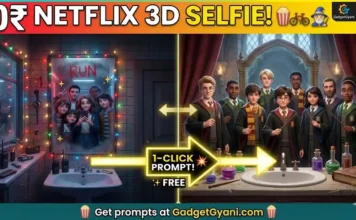
Trending Now: Apna 3D Pop-Culture Mirror Selfie Banayein (Netflix Style) 👉 [Mirror Selfie ]
Method 2: Convert Your REAL Photo (Image-to-Image Tools)
Agar aap chahte hain ki anime character ekdum aapki tarah dikhe, toh sirf text prompts kaafi nahi honge. Iske liye aapko ek “Image-to-Image” tool ka use karna hoga.
Aap free AI tools jaise Leonardo.ai ya SeaArt.ai ka use kar sakte hain. Here is the secret workflow:
- Leonardo.ai ya SeaArt open karein aur unke Image Guidance ya Image-to-Image feature mein jayein.
- Apni ek clear, achi lighting wali selfie upload karein.
- “Image Strength” (ya Denoising Strength) ko 0.5 ya 0.6 par set karein. (Agar strength zyada hui toh photo puri badal jayegi, kam hui toh anime jaisi nahi lagegi).
- Ab upar diye gaye kisi bhi ghibli style ai prompt ko text box mein paste karein.
- “Generate” par click karein. Boom! Aapki normal photo ab ek Ghibli anime scene ban chuki hai!
Also Try: 3D Social Media Glass Chair Name Art 👉 [Best 10 Free AI Image Generator for with Unlimited Credits]
Q1: Which is the best studio ghibli ai photo generator?
Ans: For text-to-image, Microsoft Bing Image Creator (DALL-E 3) is the best. If you want to upload your real photo, Leonardo.ai and SeaArt.ai offer great free image-to-image anime conversions.
Q2: Are these AI tools free to use?
Ans: Yes! Both Bing Image Creator and Leonardo.ai give you free daily credits to generate your anime photos.
Q3: Can I change the background in the prompt?
Ans: Absolutely! You can change “magical lush green meadow” to anything you like, such as “a busy Tokyo street” or “a magical flying train.”
Aapki anime DP ab ready hai! In tools ko try karo aur mujhe batao aapka favorite Ghibli movie kaunsa hai.