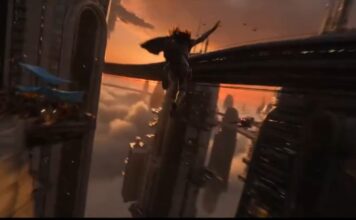
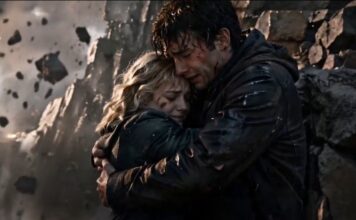
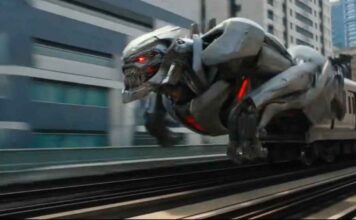
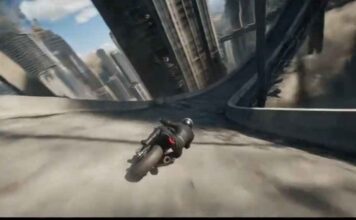
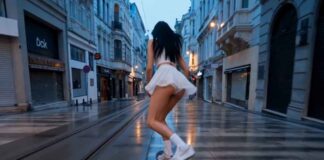
Introduction: The Camera is Optional Now
Namaste Creators, I am Anand, your Video Production Expert at Gadget Gyani.
For the last century, filmmaking had a strict requirement: you needed a camera. Whether it was a bulky RED cinema camera or your smartphone, capturing light was the only way to make a video.

In 2026, that rule has been deleted. We have entered the era of Generative Video.
Imagine writing a script and having a machine dream up the visuals, lighting, actor performance, and camera movement—pixel by pixel. It sounds like science fiction, but for filmmakers and YouTubers, it is now a daily workflow.
The Reality Check:
We all saw the viral OpenAI Sora demos. They looked perfect. But as is often the case with “hype,” access is limited or expensive for the average creator in India. You don’t need to wait for a waitlist to start creating.
I have tested the top tools available right now, including a game-changing mobile-first app. I will show you the 6 best ai video generator platforms you can actually log into today to create professional clips for your YouTube channel or Instagram Reels.
How AI Video Generation Works (The Tech Behind the Magic)
Before we look at the tools, it is crucial to understand how they work. This isn’t just “editing”; it is “synthesis.”
1. Diffusion Models (From Noise to Cinema)
Just like an AI image generator starts with static noise (like a broken TV screen) and hallucinates an image, an ai video generator does the same but adds a “Temporal” dimension (Time). It ensures that the noise resolves into frames that look consistent from one second to the next. If the AI fails at this, you get “flickering” or characters whose faces morph weirdly.
2. The Role of Prompt Engineering
In video, your prompt needs to be a director’s instruction. You cannot just say “A car.” You must define:
- The Subject: “A vintage 1980s sports car.”
- The Action: “Drifting around a wet corner.”
- The Camera: “Low angle, tracking shot, motion blur.”
- The Lighting: “Neon city lights reflecting on the hood.”
Top 6 AI Video Generators of 2026 List
I have ranked these based on “Motion Quality,” “Consistency,” and how usable they are for a real workflow, especially for Indian creators.
1. Higgsfield AI (The Mobile Creator’s Weapon)
Best for: Cinematic Camera Control on Mobile (Diffuse App).
Most AI video tools require a heavy PC or complex web dashboard. Higgsfield AI changed the game by bringing Hollywood-level control to your smartphone via their Diffuse app.
- Why it wins for India: It is built for the “Reel” generation. You can create content while commuting in the Metro.
- Killer Feature: Custom Camera Motion: Unlike others where camera movement is random, Higgsfield lets you specifically choose “Dolly In,” “Pan Right,” or “Crane Up.” You are the director.
- Dual Power: It is not just a video generator; it also has a powerful Image Generator (powered by their Nano Banana model) which creates consistent characters before you animate them.
- Pricing: Very generous free tier with daily credits (approx. 5 generations/day) that replenish.
2. Runway Gen-3 (The Industry Standard)
Best for: Professional Filmmakers who need Control.
Runway Research has been the leader since day one. Gen-3 Alpha is their flagship model, and it is currently the most “controllable” tool on the market.
- The Killer Feature: Motion Brush.Most AI tools are random. You ask for a cloud moving, and it moves the whole screen. In Runway, you can use a “Motion Brush” to paint just the clouds and tell them to move “Left,” while painting the trees to stay “Static.” This level of direction is essential for serious storytelling.
- Pricing: It operates on a credit system. The free trial is generous enough to test, but serious rendering requires a subscription.
3. Pika Art (Best for Animation & Memes)
Best for: Social Media Creators and Anime Styles.
If Runway is for Hollywood, Pika is for TikTok. Pika Art 1.5/2.0 specializes in stylized content—animation, 3D cartoons, and claymation.
- Lip-Sync: Pika was one of the first to master “Lip-Sync.” You can upload a voiceover, and the character in the video will move their mouth to match the audio perfectly.
- Expanding Canvas: Shot a video vertically but need it horizontal for YouTube? Pika can “outpaint” or expand the edges of your video to fill the 16:9 frame seamlessly.
4. Luma Dream Machine (The Realism Beast)
Best for: Photorealism and Physics.
Luma Labs shocked everyone when they dropped “Dream Machine.” It is fast, free to try, and incredibly realistic.
- Physics Engine: Luma understands real-world physics better than others. If you generate a video of “water splashing in a glass,” the liquid behaves like real liquid, not like jelly.
- Keyframing: You can upload a “Start Image” and an “End Image,” and Luma will generate the video bridge between them. This allows you to control exactly how a scene begins and ends.
5. Kaiber (For Music Videos)
Best for: Musicians and Abstract Visuals.
Kaiber is not trying to be a camera replacement; it is an art tool. It is famous for its “Frame-by-Frame” animation style that looks like a hand-drawn cartoon or oil painting.
- Audio Reactivity: This is its USP. You upload a song (MP3), and the video “reacts” to the beat. The camera zooms on the kick drum, and the colors flash on the snare.
6. Kling / Sora (The Heavyweights)
Best for: Long-form Clips (up to 2 minutes).
- OpenAI Sorahttps://openai.com/sora/: In 2026, Sora remains the benchmark for “One-Shot” coherence. Its ability to generate up to 60 seconds of video without the character warping is unmatched, but availability remains strictly controlled for safety.
- Kling: Often called the “Chinese Sora,” Kling is available globally and can generate videos up to 2 minutes long (1080p). It excels at human movement, specifically walking and hand gestures.
Comparison: Which Tool Fits Your Budget?
Here is a quick breakdown to help you decide.
| Tool Name | Free Plan Limits | Best Use Case | Rendering Speed |
| Higgsfield AI | Daily free credits (~5 gens) | Mobile / Cinematic Camera | Fast |
| Runway Gen-3 | One-time credits (~105 sec) | Commercial Work | Fast (Turbo Mode) |
| Pika Art | Daily credits (Limited) | Anime, Memes, Lip-Sync | Moderate |
| Luma Dream Machine | 30 videos/month (Free) | Realism, Object Physics | Very Fast |
| Kaiber | Trial credits (7 days) | Music Videos | Slow (Frame-by-Frame) |
| Kling | Daily free credits | Long-form (2 mins) | Slow |
The Dark Side: Deepfakes & Ethics
As a responsible analyst for GadgetGyani, I must address the risks.
These tools are powerful. They can generate a video of a politician saying something they never said, or a celebrity endorsing a scam product. This is called a Deepfake.
- The Rule: Never use ai video generator tools to impersonate real people without consent.
- Watermarking: Tools like Runway and Higgsfield embed metadata (invisible digital watermarks) into their videos. This allows platforms like YouTube to label your content as “AI-Generated.”
- YouTube Policy: In 2026, you must tick the “Altered Content” box when uploading AI video to YouTube. If you don’t, your channel can be demonetized or suspended.
How to Write Prompts for Video (A Mini-Tutorial)
Stop writing “A cat running.” The AI needs more data. Use this formula for cinematic results:
Formula:
[Subject + Description] + [Action/Movement] + [Environment/Lighting] + [Camera Angle] + [Style/Film Stock]
Example Prompt:
“A cyberpunk detective in a trench coat, walking slowly towards the camera, heavy rain falling, neon blue and pink signs reflecting in puddles, low angle shot, shallow depth of field, cinematic lighting, 35mm film grain, high contrast.”
Pro Tip: Use specific camera keywords like “Dolly Zoom” or “Truck Left” to control the pacing, especially in Higgsfield AI or Runway.
Spider Web: Optimize Your Studio
Generating video is just step one. Here is how to complete your workflow:
- Scripting: Need a story for your video? Use the best ChatGPT vs Gemini bot to write your screenplay.
- Base Images: Luma and Runway work best when you give them a starting image. Generate one using our Free AI Image Generators.
- Editing: These AI clips are raw. You need a powerful PC to stitch them together in Premiere Pro. Check our guide on Best Video Editing Software.
Conclusion
The ai video generator revolution has democratized filmmaking. You no longer need a million-dollar budget to visualize a sci-fi world. You just need imagination and a smartphone.
I challenge you to try Higgsfield AI (since it works great on mobile) and generate a 5-second clip today.
What was your prompt? Did the physics work? Share your funny failures or epic wins in the comments!
Frequently Asked Questions (FAQ)
Q1: Can I monetize AI-generated videos on YouTube in 2026?
Ans: Yes, absolutely. YouTube allows monetization of AI content as long as it follows community guidelines. However, you strictly must disclose that the content is synthetic by checking the “AI content” box during upload.
Q2: Which AI video generator is completely free without watermarks?
Ans: Currently, almost all high-quality generators (Runway, Pika, Luma, Higgsfield) apply a watermark on their free plans. To remove the watermark and get commercial rights, you usually need a basic subscription (starting around $10-$12/month).
Q3: How long does it take to render a 5-second AI clip?
Ans: It depends on the server load. On Luma Dream Machine, it typically takes 60 to 120 seconds. On Higgsfield AI, it is optimized for mobile and often renders faster than desktop-heavy tools.
Q4: Is OpenAI Sora available for public use now?
Ans: As of 2026, OpenAI has integrated Sora features into ChatGPT for select users and enterprise partners, but a fully open “free for everyone” web interface similar to ChatGPT is still restricted to prevent misuse.
Q5: Can AI video generators replace professional video editors?
Ans: No. These tools generate clips (raw footage). You still need a human editor to stitch these clips together, add sound design, color grade, and build a narrative. AI generates the shot, but the movie is made in the edit.