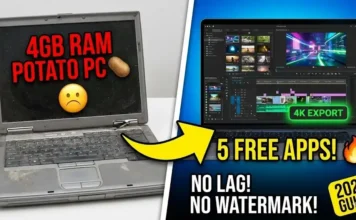
Hi, I am Anand, the Video Editor and Filmmaker here at Gadget Gyani. People often ask me, “Bhai, do I need a ₹1 Lakh PC to start a YouTube channel?” My answer is always a big NO.

In 2026, mobile processors are so powerful that your phone can edit 4K footage faster than some laptops. The real problem isn’t the hardware; it’s the Software. Most “Free” apps ruin your hard work by stamping a giant watermark on it or asking for a subscription just to use a simple cut.
I have tested dozens of apps personally. Today, I am sharing my Top 5 Picks for 2026 that offer professional features like Chroma Key, Keyframing, and 4K Export—without any Watermark.
The Top 5 Free Editing Apps (2026 Rankings)
1. VN Video Editor (The Best All-Rounder)
If I had to keep only one app on my phone, this would be it. VN is clean, professional, and doesn’t force ads on you. It feels like a mini-Premiere Pro.
- Best For: Instagram Reels, YouTube Vlogs, and Storytelling.
- Editor’s Verdict: The “Multi-Track Timeline” lets you layer music, voiceover, and sound effects precisely. The “Curve Speed” tool is the best in the business for smooth slow-motion.
- Pros: Totally Free (No Watermark), 4K 60fps Export, Clean Interface.
- Cons: Can get slightly laggy on older phones with heavy layers.
2. CapCut (The Viral King)
You see those viral reels with auto-captions and trendy 3D zoom effects? That is CapCut. It is the king of “Trendy” editing.
- Best For: Viral Short-form content (Reels/Shorts).
- Editor’s Verdict: The “Auto-Captions” feature saves hours of typing. The transition library is unmatched.
- Pros: Massive library of Effects, Auto-Lyrics, Body Effects.
- Cons: Banned in India. You need a VPN to use the effects (though the app runs offline for basic cuts).
3. Vita (The Underrated Gem)
Vita is completely free—every single effect, font, and sticker. It is owned by SNOW Corp (same as B612) and is designed for aesthetic edits.
- Best For: Beginners & Aesthetic Lifestyle Vlogs.
- Editor’s Verdict: It has a huge “Stock Library” of intro videos and background music built-in. You don’t need to download assets from Google.
- Pros: No Watermark (Turn off in settings), Free Stock Footage, Easy Templates.
- Cons: Text editing is a bit basic compared to VN.
4. InShot (The Quick Fix)
InShot is the “Maggi” of video editing—quick, easy, and gets the job done. It’s perfect for when you just want to crop a video or add a border.
- Best For: Simple WhatsApp Status, Basic Cuts, Square Videos.
- Editor’s Verdict: It’s not for complex editing, but for resizing a video or adding a quick sticker, it’s the fastest.
- Pros: Very easy to learn.
- Cons: Has a watermark by default, BUT you can remove it for free by watching a short 15-second ad.
5. Blurrr (For the Pros)
If you want to make “Anime Music Videos (AMV)” or high-level velocity edits like you see on TikTok, Blurrr is the new beast. It replaces KineMaster for advanced users.
- Best For: Advanced “Shake” effects, Velocity Edits, 3D Camera movement.
- Editor’s Verdict: This app has a steep learning curve. It uses “Graph Editors” for movement. If you master this, you don’t need After Effects.
- Pros: PC-level Keyframing, 3D layers.
- Cons: Hard for beginners; requires a powerful phone.
Pro Tip: The Secret Sauce
A good app is useless if your settings are wrong. Instagram compresses bad quality videos. Always use these Export Settings:
- Resolution: 1080p (4K is overkill for phone screens).
- Frame Rate: 60fps (Crucial for smooth motion).
- Bitrate: Set to “High” or approx 15-20 Mbps.
Spider Web: Create Better Content
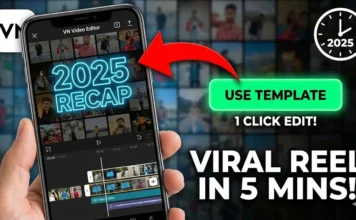
- Downloaded the app? Now create your first video using our Viral 2025 Recap Tutorial.
- Storage Full? 4K videos fill space fast. Use our Storage Cleaning Guide to keep editing smoothly.
- Need Audio? Bad audio ruins good video. Learn How to Remove Background Noise in our upcoming guide.
Conclusion
Software is just a tool; your creativity matters more. Don’t wait for a PC. Download VN today and start creating.
Which app do you use? Are you Team VN or Team CapCut? Let me know in the comments below!